
The fastest, safest path to Microsoft 365 is an inventory-led plan: audit your mailboxes, SharePoint sites, and identity topology first, choose the migration type that fits your user count and Exchange version, run a controlled pilot with a representative group of users, then execute in waves using Microsoft Migration Manager and the appropriate Exchange migration method. For cross-tenant moves, regulated-industry environments, or organizations without dedicated Exchange expertise, engaging a managed provider like Collett Systems LLC reduces both risk and recovery time.
Start here, actions for the next 48 hours:
- Run an identity and license inventory using Microsoft Entra ID (formerly Azure AD) and document your current Azure AD Connect topology.
- Record total mailbox count, per-mailbox size, and any mailboxes over 50 GB that will require special handling.
- Identify a pilot group of 50, 100 representative users across departments.
- Verify domain ownership in the target Microsoft 365 tenant via the Microsoft 365 admin center.
- Lower your MX record TTL to a low value if a mail cutover is within two weeks.
Pro Tip: Enable Conditional Access policies in report-only mode during your pilot phase. This surfaces broken sign-in paths and policy conflicts before enforcement, so you avoid user lockouts on cutover day without sacrificing visibility.
Table of Contents
- How do you plan a Microsoft 365 migration from scratch?
- What do you need to prepare before migrating to Microsoft 365?
- How do you execute the migration: tools, pilot, and wave rollout?
- What does post-migration adoption actually require?
- What are the typical timelines and cost drivers for a migration?
- What are the biggest risks during a Microsoft 365 migration?
- When should you hire a managed provider for your migration?
- Key Takeaways
- The part most migration plans get wrong
- Collett Systems LLC can manage your migration from day one
- Authoritative sources and further reading
How do you plan a Microsoft 365 migration from scratch?
A migration checklist tailored to your environment is more reliable than any generic template, because the right migration type depends on your source platform, user count, and coexistence requirements. The table below maps each migration type to the scenarios where it fits.
| Migration Type | Best Use Case | Supported Source Systems | Data Types Migrated | Complexity / Prerequisites | Estimated Duration | Tool / Licensing Cost Shape |
|---|---|---|---|---|---|---|
| Cutover | Small orgs, up to about one hundred fifty users | Exchange, on-prem | Mail, calendar, contacts | Low; DNS change, MX cutover | Days to 2 weeks | Included in M365 licensing |
| Staged | Between one hundred fifty and two thousand users, phased move | Exchange on-prem | Mail, contacts | Medium; AD sync required | Weeks to months | Included in M365 licensing |
| Hybrid | Large orgs, long coexistence | Exchange on-prem | Mail, calendar, contacts, free/busy | High; Exchange Hybrid Config Wizard, AD Connect | Months | Exchange Server CALs + M365 |
| IMAP | Non-Exchange mail platforms | Gmail, Lotus Notes, IMAP servers | Mail only | Low-Medium; no calendar/contacts | Days to weeks | Included in M365 licensing |
| PST Import | Archive or offline mailbox data | Any (file-based) | Mail, calendar, contacts | Low; network upload or drive shipping | Days to weeks | Import Service included |
| Tenant-to-Tenant | Mergers, divestitures, rebrands | Microsoft 365 tenant | Mail, OneDrive, SharePoint, Teams | Very high; cross-tenant identity mapping | Weeks to months | Migration Orchestrator + M365 |
Microsoft documents three principal Exchange migration types, cutover, staged, and hybrid, with cutover practical for organizations under roughly 150 users and hybrid reserved for environments requiring extended coexistence. IMAP migration applies when the source system supports IMAP but is not Exchange, covering platforms like Gmail or Lotus Notes, though it transfers mail only and excludes calendar and contact data.
Before your pilot, lock these prerequisites:
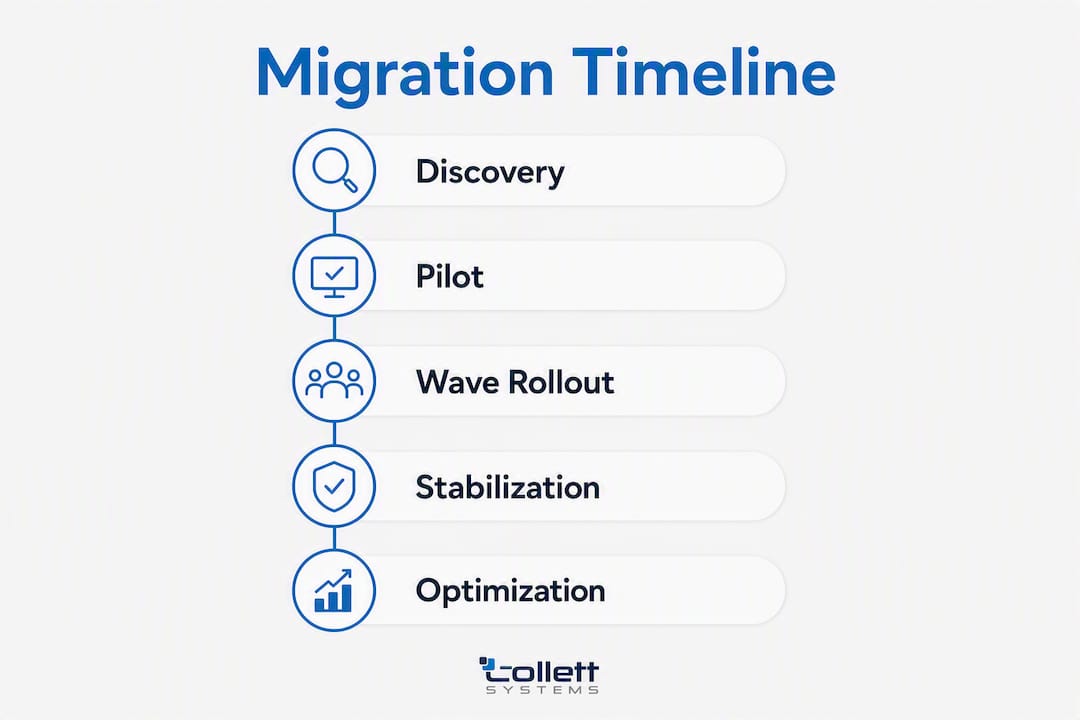
Timeline expectations vary significantly by scale. Small organizations with relatively few users can complete discovery through cutover in a few weeks. Mid-size organizations typically require several weeks to a few months. Enterprise environments with many users, especially those with federated identity or cross-tenant complexity, should plan for several months depending on scope.
What do you need to prepare before migrating to Microsoft 365?
Identity decisions made before migration day determine how much pain you absorb during and after cutover. The core question is whether you will run cloud-only identities in Microsoft Entra ID or synchronize from on-premises Active Directory using Azure AD Connect. Hybrid identity is the right choice for most organizations with existing on-prem AD, because it preserves single sign-on and allows phased decommissioning of on-prem infrastructure. Cross-tenant moves add a layer of complexity: you must map source identities to target identities explicitly, and guest or B2B accounts require separate handling to avoid broken permissions.
Domain and DNS preparation checklist:
- Add and verify the production domain in the target tenant before any user migration begins.
- Prepare updated SPF, DKIM, and DMARC records for the target tenant; do not wait until cutover day to configure these.
- Lower MX TTL to 300 seconds at least 48 hours before the planned cutover window.
- Document all existing DNS records, including autodiscover CNAME, so rollback is possible without guesswork.
License mapping deserves careful attention. Audit your current entitlements and map them to the appropriate Microsoft 365 SKU before purchasing. If your compliance posture requires Microsoft Purview, Defender for Office 365, or Defender for Endpoint, confirm those plans are included in your chosen SKU or purchased as add-ons. Assigning the wrong license tier to a user before migration means their mailbox may land in a plan that lacks the retention or DLP policies your organization requires.
Network performance is a practical constraint that many organizations underestimate. Large mailbox migrations and SharePoint file transfers consume significant bandwidth, and Microsoft applies throttling to protect service quality. Review Exchange Online limits and migration best practices before finalizing your wave schedule, and test throughput from your primary office locations using the Microsoft 365 network connectivity tool.
Pro Tip: Run Conditional Access in report-only mode during your pilot. Sign-in logs will show exactly which users would have been blocked under the new policies, giving you time to fix exceptions before enforcement goes live.

How do you execute the migration: tools, pilot, and wave rollout?
Microsoft provides a set of native tools that cover every major workload. Mapping the right tool to each workload before you start prevents mid-migration pivots.
Microsoft migration tools and what each one handles
Microsoft Migration Manager handles file content migrations: on-premises file shares, Google Drive, Dropbox, and Box to OneDrive and SharePoint. It runs as an agent-based service from the SharePoint admin center and supports parallel agent deployment for high-volume file migrations. The Microsoft 365 migration documentation hub aggregates Migration Manager guidance alongside Migration Orchestrator and cross-tenant resources.
SharePoint Migration Tool (SPMT) migrates SharePoint Server content (lists, libraries, and site collections) to SharePoint Online. It is best for structured SharePoint-to-SharePoint moves and supports incremental runs to minimize delta during cutover.
Exchange mailbox migration methods (cutover, staged, hybrid) are managed through the Exchange admin center or PowerShell. Each method targets a specific source Exchange version and user count range, as documented above.
Import Service handles PST collections too large or too old to migrate through live mailbox sync. Microsoft supports two delivery methods: network upload via AzCopy or physical drive shipping to a Microsoft data center. Drive shipping is slower but practical for multi-terabyte archives where bandwidth is the constraint.
Migration Orchestrator coordinates multi-workload, cross-tenant migrations and is the appropriate tool for merger and divestiture scenarios where mailboxes, OneDrive, SharePoint, and Teams data must move between tenants with identity remapping.
Step-by-step pilot plan
- Select 50, 100 pilot users representing a cross-section of departments, mailbox sizes, and device types.
- Enable audit-mode security policies (Conditional Access in report-only, DLP in test mode) before migrating any pilot user.
- Migrate mail, calendar, and contacts for pilot users using the chosen Exchange migration method.
- Migrate OneDrive content for pilot users via Migration Manager.
- Collect end-user feedback through a structured survey at 48 hours and 7 days post-migration.
- Review telemetry: mail flow logs, failed item reports, and help-desk ticket volume.
- Iterate on configuration issues before expanding to the first production wave.
Validation checklist before declaring pilot complete
- Mail flow confirmed in both directions (inbound and outbound).
- Message counts reconciled between source and destination mailboxes.
- Calendar items and recurring meetings verified for a sample of users.
- OneDrive file hashes spot-checked against source.
- Teams channels, tabs, and third-party app integrations tested.
- Rollback procedure documented and tested in a non-production mailbox.
Rollback and cutover timing: Keep delta sync running until the final cutover window. Switch MX records only after confirming the last delta migration completed successfully. Clean up Outlook profiles on client machines post-cutover to prevent cached credential conflicts.
Note on cross-tenant migrations: For tenant-to-tenant mailbox moves, Microsoft recommends working with a Microsoft solution partner when migrating more than 500 users or large SharePoint datasets, given the complexity of cross-tenant identity mapping and permission preservation.
What does post-migration adoption actually require?
Technical cutover is the midpoint, not the finish line. The 90 days after go-live determine whether users adopt Microsoft 365 productively or revert to workarounds that undermine the investment.
Day-0 to Day-90 communication timeline:
- Day -14: Announce migration dates, explain what will change, and publish a self-service FAQ.
- Day -3: Send pre-cutover instructions: how to save local drafts, what to expect on cutover morning.
- Day 0: Distribute a one-page quick-reference card covering Outlook, Teams, and OneDrive basics.
- Day 7: Follow-up survey and targeted outreach to users who submitted help-desk tickets.
- Day 30/60/90: Stabilization check-ins: review adoption metrics, address persistent issues, retire legacy workarounds.
Role-based training reduces help-desk volume more reliably than general all-hands sessions. Executives need a 20-minute briefing on Teams and mobile access. Power users benefit from a 90-minute hands-on session covering advanced Outlook rules, SharePoint permissions, and OneDrive sync. End users need a 30-minute quickstart covering the three tasks they perform daily. Help-desk staff need a full-day technical session before cutover.
Post-cutover validation checklist:
- Confirm data integrity: spot-check mailbox item counts, SharePoint library sizes, and OneDrive sync status.
- Verify retention policies and DLP rules are active and applying correctly.
- Confirm backup coverage includes the new Microsoft 365 tenant (Microsoft 365 does not provide a full backup by default).
- Review permissions on SharePoint sites and Teams channels for accuracy.
Decommission checklist:
- Retire on-premises mail servers only after 30 days of confirmed stable mail flow in Microsoft 365.
- Cancel legacy licenses after confirming all users are fully provisioned in the new tenant.
- Update disaster recovery plans and runbooks to reflect the new environment.
- Archive or delete source mailboxes per your retention policy.
Temporary help-desk capacity during the first week post-cutover is not optional for mid-size and larger organizations. Plan for two to three times normal ticket volume on Day 1 and elevated volume through Day 5. A pre-built knowledge base article covering the top ten user questions, published before cutover, reduces repeat tickets substantially.
What are the typical timelines and cost drivers for a migration?
| Organization Size | Discovery to Cutover | Stabilization to Optimization | Key Cost Drivers |
|---|---|---|---|
| Small (<150 users) | 2, 4 weeks | 2, 4 weeks | Licensing delta, minimal professional services |
| Mid-size (150+ users) | several weeks to a few months | a few weeks | Identity mapping, professional services, training |
| Enterprise (large user count) | several months | several weeks to a few months | Hybrid config, third-party tooling, change management |
| Large/Federated | several months | several months | Cross-tenant Orchestrator, compliance review, MSP engagement |
The primary cost drivers in a Microsoft 365 migration are professional services labor (identity mapping, architecture design, cutover coordination), the licensing delta between your current platform and the target Microsoft 365 SKU, and post-migration managed services. Third-party migration tooling adds cost for large file share or cross-tenant moves beyond what Microsoft's native tools cover.
Microsoft FastTrack provides migration assistance at no additional cost for qualifying organizations, covering planning guidance and data migration support. FastTrack is a strong starting point for straightforward cutover or staged migrations. For cross-tenant moves, regulated-industry environments, or organizations with complex identity environments, FastTrack's scope is typically insufficient, and a paid managed provider delivers the governance and accountability that complex projects require.
Budget a contingency of 15, 20% above your initial professional services estimate. Migrations surface unexpected complexity: oversized mailboxes, undocumented service accounts, legacy distribution groups with broken memberships, and third-party integrations that require reconfiguration. User training and adoption support are frequently underbudgeted; plan for at least one dedicated training resource for the first 30 days post-cutover.
What are the biggest risks during a Microsoft 365 migration?
Three recurring failure patterns account for most migration problems: migrating unnecessary content without prior cleanup, insufficient user training, and absent governance that leads to post-migration sprawl. Addressing all three before pilot is more effective than remediating them after cutover.
Top technical risks and mitigations:
- Missing identity mapping: Unmapped accounts result in broken permissions, inaccessible mailboxes, and failed OneDrive syncs. Audit every service account, shared mailbox, and distribution group before migration begins.
- Throttling and performance degradation: Microsoft applies service-protection throttling to migration connections. Review Exchange Online migration best practices and schedule large waves during off-peak hours.
- Incomplete permission migration: SharePoint permissions and Teams channel memberships do not always transfer cleanly. Validate permissions for a representative sample before declaring a wave complete.
- Lost calendar recurrence items: Complex recurring meetings are a known failure point in IMAP and some staged migrations. Test with power users who manage high-volume calendars during pilot.
- Third-party app breakage: Applications authenticating via legacy protocols (Basic Auth) will break post-migration. Inventory all third-party integrations and confirm Modern Authentication support before cutover.
- Compliance hold issues: Mailboxes under litigation hold or eDiscovery hold require special handling. Confirm hold status for all affected mailboxes and coordinate with legal before migrating them.
Red-flag checklist to monitor during pilot and waves:
- Mail flow anomalies: NDRs, delayed delivery, or missing messages in either direction.
- Help-desk ticket spike above 3x baseline on Day 1 post-wave.
- Failed delta sync jobs in Migration Manager or Exchange migration batches.
- Users reporting missing calendar items or broken meeting links.
- Conditional Access sign-in failures not previously identified in report-only mode.
Backup verification is a non-negotiable step before and after migration. Microsoft 365 includes limited native recoverability (deleted item retention, version history), but it does not replace a dedicated backup solution. Confirm that your backup platform covers the Microsoft 365 tenant before cutover, and run a test restore from the new environment within 72 hours of go-live.
Quick mitigations when a wave goes off-track: Increase logging verbosity in Migration Manager, revert Conditional Access policies to report-only, pause the current wave, and remediate identified issues before resuming. Document every deviation from the original plan in a running incident log so the post-migration review has an accurate record.

When should you hire a managed provider for your migration?
Some migrations are straightforward enough for an experienced in-house IT team. Others carry enough complexity that attempting them without external expertise introduces material risk to data integrity, compliance posture, and business continuity.
Criteria that indicate a managed provider is the right call:
- User count above 500, particularly with multiple geographic locations.
- Cross-tenant migration (merger, divestiture, or rebrand scenario).
- Regulated industry with active compliance requirements (HIPAA, CMMC, SOC 2, financial services).
- No internal Exchange or Azure AD Connect expertise.
- Aggressive timeline with limited tolerance for extended cutover windows.
- Existing environment with complex hybrid Exchange configuration or federated identity.
A qualified managed provider brings project governance, documented identity mapping procedures, cross-tenant Migration Orchestrator experience, and expanded rollback plans that most in-house teams build only once. Post-migration, the right provider also delivers long-tail adoption support, runbook documentation, and ongoing security monitoring so the environment does not drift after go-live.
Collett Systems LLC structures Microsoft 365 migrations around a seven-phase playbook: Discovery, Architecture, Pilot, Wave Migrations, Cutover, Stabilization, and Optimization. Each phase has defined entry and exit criteria, so stakeholders know exactly what has been completed and what comes next. This seven-phase structure aligns with EPC Group's widely used enterprise migration playbook, ensuring a comprehensive approach from initial discovery through ongoing optimization. The Discovery phase alone surfaces the identity gaps, oversized mailboxes, and undocumented service accounts that cause the most common mid-migration failures.
What Collett Systems LLC delivers across the engagement:
- Tenant design and identity architecture review before any data moves.
- Pilot execution with structured feedback collection and telemetry review.
- Wave scheduling aligned to business operations to minimize user impact.
- Post-cutover security monitoring and Conditional Access enforcement.
- Fixed per-user managed services model post-migration, eliminating unpredictable support costs.
For complex cross-tenant identity mapping or very large mailbox transitions, partnering with a managed service provider is often more cost-effective and lowers operational risk than attempting a DIY migration.
Pro Tip: When evaluating managed providers, ask specifically for their cross-tenant identity mapping methodology and their rollback procedure for a failed wave. Providers without documented answers to both questions are not ready for complex migrations.
Collett Systems LLC serves over 150 organizations across Southeastern Wisconsin. Client references and case studies are available upon request through the Collett Systems assessment process.
Key Takeaways
A successful Microsoft 365 migration depends on inventory-first planning, the right tool-to-workload match, and a structured pilot before any production wave.
| Point | Details |
|---|---|
| Inventory before everything | Audit mailboxes, SharePoint sites, identity topology, and third-party integrations before selecting a migration type. |
| Match migration type to environment | Cutover fits under ~150 users; staged and hybrid serve larger or coexistence scenarios; cross-tenant requires Migration Orchestrator. |
| Pilot with 50, 100 users | Run security policies in report-only mode during pilot to surface issues before enforcement affects the full organization. |
| Timeline and cost vary by scale | Small migrations take 2, 4 weeks; mid-size several weeks to a few months; enterprise several months, with professional services as the primary cost driver. |
| Collett Systems LLC for complex moves | Collett Systems LLC's seven-phase playbook and fixed per-user model reduce risk for cross-tenant, regulated, or large-scale migrations. |
The part most migration plans get wrong
Most Microsoft 365 migration failures are not technical. The data transfer works. The DNS switches correctly. The mailboxes land in the right tenant. What breaks is the human layer: users who were not told what to expect, help desks that were not staffed for the ticket surge, and governance policies that were never enforced because no one owned them post-cutover.
The organizations that struggle most are the ones that treated the migration as an IT project with a defined end date. The ones that succeed treated it as an operational transition with a 90-day stabilization commitment. That distinction shows up in measurable outcomes: lower help-desk ticket volume in the first 30 days, faster Conditional Access enforcement, and SharePoint governance that actually holds six months later.
The technical checklist in this article is necessary. It is not sufficient. The communication plan, the role-based training, and the post-cutover runbooks are what determine whether the investment in Microsoft 365 pays off or becomes a source of ongoing friction.
If your organization is approaching a migration with a tight timeline, a regulated compliance posture, or a cross-tenant scenario, the honest assessment is that in-house execution without prior experience in those specific scenarios carries real risk. The cost of a failed cutover, measured in recovery time, compliance exposure, and user trust, typically exceeds the cost of engaging a managed provider from the start.
Collett Systems LLC can manage your migration from day one
Fixed-price, outcome-driven Microsoft 365 migrations are what Collett Systems LLC delivers to small and mid-size organizations across Southeastern Wisconsin. Where most IT projects accumulate unpredictable hourly charges, Collett Systems LLC's per-user model means you know the cost before the first mailbox moves.
What an engagement with Collett Systems LLC includes:
- A paid IT and Security Assessment that maps your current environment and identifies migration risks before any work begins.
- Identity architecture review and tenant design aligned to your compliance requirements.
- Pilot execution, wave scheduling, and cutover coordination with documented rollback procedures.
- Post-migration security monitoring, Conditional Access enforcement, and 24/7 infrastructure management.
- Unlimited help desk support under a fixed per-user monthly model post-go-live.
Contact Collett Systems LLC to schedule your migration assessment and receive a fixed-cost estimate for your environment.
Authoritative sources and further reading
- Ways to migrate multiple email accounts to Microsoft 365 or Office 365, Microsoft Learn: covers cutover, staged, hybrid, IMAP, PST Import, and FastTrack eligibility.
- Decide on a migration path, Microsoft Learn: decision tree for selecting the right Exchange migration method.
- Microsoft 365 migration documentation hub, Microsoft Learn: canonical index for Migration Manager, Migration Orchestrator, and cross-tenant resources.
- Migrate to Microsoft 365 (SharePoint and OneDrive), Microsoft Learn: tool selection guide for SharePoint and OneDrive content migrations.
- Cross-tenant mailbox migration, Microsoft Learn: guidance for tenant-to-tenant moves in merger and divestiture scenarios.
- Microsoft 365 Deployment, Migration, and Adoption Tool, Microsoft: FastTrack-assisted migration planning resource.
- FastTrack data migration guidance, Microsoft Learn: scope and eligibility for FastTrack migration assistance.
- IMAP mailbox migration, Microsoft Learn: step-by-step guidance for non-Exchange source systems.
- Must-Have MSP Tools 2026, Netverge: MSP tooling and stack recommendations for teams evaluating migration automation.
- Collett Systems LLC, managed IT services, migration assessments, and fixed per-user support for Southeastern Wisconsin organizations.