
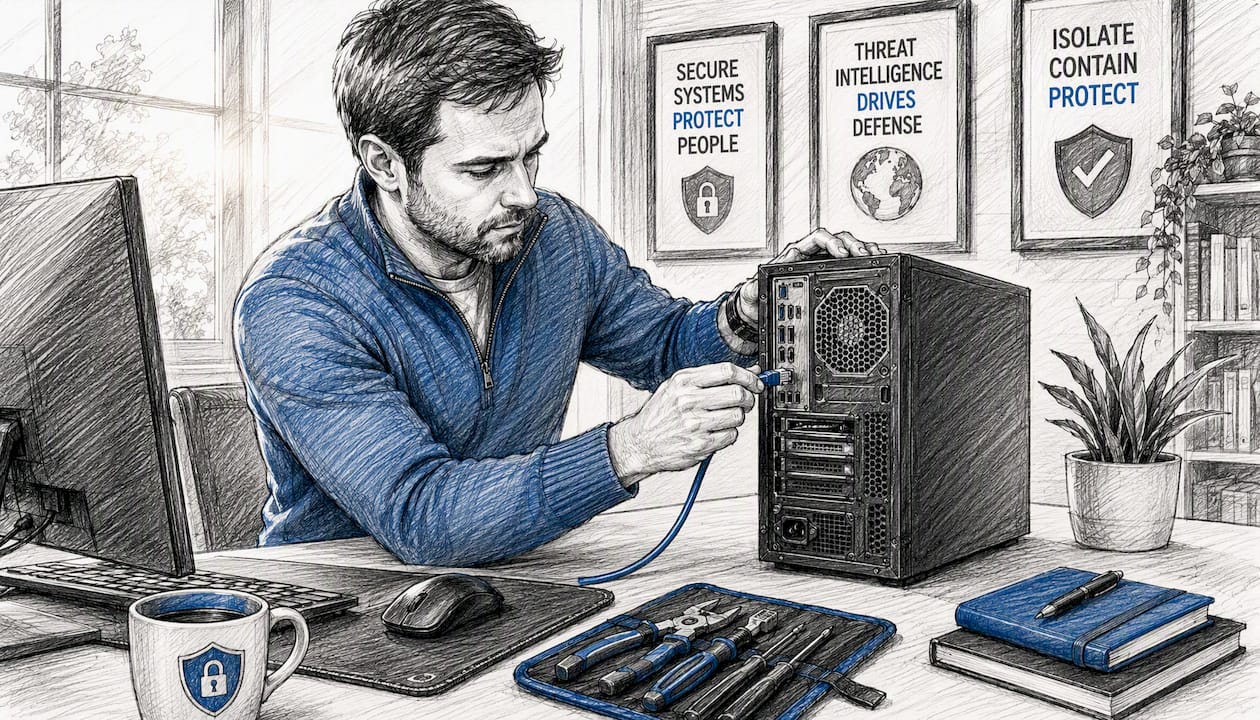
When ransomware hits, your first action determines whether you contain the damage or watch it multiply across your network. Isolate every impacted system immediately: unplug Ethernet cables, disable Wi-Fi and Bluetooth, and activate your incident response team. That single containment step, recommended as the opening action in the CISA ransomware response checklist, stops lateral movement and buys the time you need to triage, preserve forensic evidence, and plan a structured recovery. Organizations with validated 3-2-1 backups, including at least one immutable or air-gapped copy, recover without paying ransom far more often than those without. Collettsystems supports Southeastern Wisconsin businesses through every phase of this process, from initial containment through post-incident hardening.
Initial minutes: on-call engineer checklist
-
Disconnect affected endpoints from the network (unplug Ethernet; disable Wi-Fi and Bluetooth at the OS or hardware level).
-
Alert your incident response team lead and executive sponsor immediately.
-
Activate your cyber insurer notification process per your policy terms.
-
Contact legal counsel before any external communications or payment discussions.
-
Preserve system state: do not reboot or power off unless absolutely necessary.
-
Identify and protect your backup infrastructure; restrict access to backup consoles now.
-
Open out-of-band communications (phone or secure messaging) for the response team.
-
Document every action taken with timestamps from this moment forward.
Pro Tip: If a device cannot be disconnected from the network, put it into hibernation rather than rebooting or powering it down. IBM guidance confirms that restarting an infected host can trigger further encryption or destroy volatile memory that forensic investigators need.
Table of Contents
-
What does a ransomware response playbook look like step by step?
-
How do you stop ransomware from spreading in the first hours?
-
How do you safely eradicate ransomware and restore operations?
-
How do you support your team psychologically during an incident?
-
Why managed incident response matters more than most SMBs expect
-
Collettsystems managed IT and incident response for Southeastern Wisconsin businesses
What does a ransomware response playbook look like step by step?
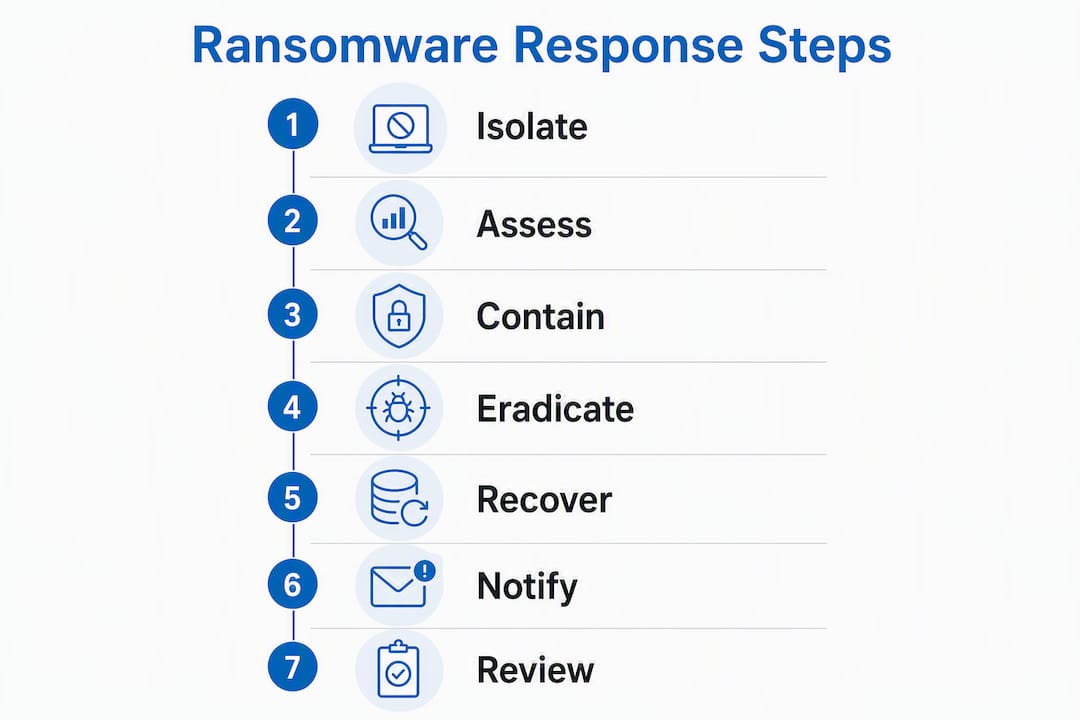
Effective incident management follows a defined sequence. Compressing or skipping phases, particularly moving to recovery before eradication is confirmed, is one of the most common reasons organizations face reinfection. The CISA StopRansomware Guide explicitly instructs teams to perform isolation, triage, and notification in that order before any other administrative tasks.
The nine-phase play sequence:
-
Detect, Identify ransomware indicators: encrypted files, ransom notes, EDR alerts, or anomalous network traffic.
-
Declare, Formally declare an incident; activate your IR plan and notify the executive sponsor and legal counsel.
-
Isolate, Disconnect impacted systems from the network at the endpoint and switch level as needed.
-
Triage, Determine blast radius: which systems are affected, what data is at risk, and where the initial compromise occurred.
-
Notify, Contact your cyber insurer, law enforcement (FBI/IC3, CISA), and any regulators with mandatory notification timelines.
-
Hunt, Conduct threat hunting to identify persistence mechanisms, additional compromised accounts, and attacker tooling still present in the environment.
-
Eradicate, Remove malware, close initial access vectors, reset credentials, and rebuild or restore affected systems.
-
Recover, Restore operations in a staged sequence, starting with core infrastructure, then data, then full production reintegration.
-
Review, Conduct a blameless after-action review, update your playbooks, and schedule exercises.
Phase timing guidance:
-
First 30 minutes: Isolation, IR team activation, insurer and legal notification, out-of-band comms established.
-
First 2 hours: Triage complete, blast radius mapped, law enforcement contacted, forensic collection underway.
-
First 24 hours: Threat hunting active, backup integrity confirmed, executive briefing delivered, regulatory counsel engaged.
-
Week 1: Eradication confirmed, phased recovery initiated, external communications drafted and approved.
IR activation contacts to predefine in your plan:
-
Internal IR lead and backup lead
-
Executive sponsor with decision authority
-
Legal counsel (internal and external)
-
Cyber insurer claims line and policy number
-
Managed IR retainer contact (Collettsystems for Southeastern Wisconsin clients)
-
FBI field office or IC3 (ic3.gov) and CISA (1-888-282-0870)
Pro Tip: Predefine your “blast radius” mapping and critical-asset recovery order in the plan before an incident occurs. When the pressure is on, restoration sequencing should be a lookup, not a debate.

How do you stop ransomware from spreading in the first hours?
Containment is not a single action. It is a coordinated set of physical, logical, and cloud-layer controls executed in parallel by different members of the response team.
Physical and logical isolation:
-
Unplug network cables from affected endpoints; do not rely solely on software-based isolation when physical access is available.
-
Disable Wi-Fi and Bluetooth adapters at the hardware level where possible.
-
Take vulnerable switch ports or VLANs offline at the switch level for segments with confirmed spread, per CISA guidance.
-
Quarantine affected endpoints in your EDR console to block further outbound connections.
Endpoint and identity controls:
-
Force session terminations for all active sessions on compromised accounts.
-
Disable or lock suspicious user accounts and service accounts immediately.
-
Revoke compromised credentials and rotate privileged account passwords, starting with domain administrators.
-
Block lateral movement paths: disable administrative shares (C$, ADMIN$) on unaffected systems where feasible.
Cloud and SaaS layer:
-
Snapshot cloud volumes for forensic review before any remediation actions.
-
Temporarily restrict or rotate admin API keys if cloud management consoles may be compromised.
-
Freeze provisioning automation (Infrastructure as Code pipelines, cloud orchestration) that could propagate attacker-controlled configurations.
Backup infrastructure:
-
Restrict access to backup consoles immediately; change backup admin credentials.
-
Identify which backup copies are air-gapped or immutable and confirm they are not reachable from the compromised environment.
-
Do not assume backups are clean. Attackers frequently target backup systems before triggering encryption.
Pro Tip: Use out-of-band communications throughout the incident. If attackers have visibility into your corporate email or Slack, they may monitor response activity and trigger destructive failsafes or accelerate exfiltration when they detect containment actions.
How do you determine the scope of a ransomware attack?
Triage answers four questions: which systems are affected, where did the attacker first gain access, has data been exfiltrated, and which assets must be restored first to sustain critical operations?
Triage objectives:
-
Identify all encrypted or otherwise impacted systems across on-premises, cloud, and remote environments.
-
Locate “patient zero,” the earliest compromised system or account, to understand the initial access vector.
-
Confirm whether data exfiltration occurred before encryption, a pattern common in double-extortion ransomware.
-
Prioritize assets for recovery based on business criticality: authentication infrastructure, core line-of-business applications, and communications systems typically come first.
Artifacts to collect immediately:
| Artifact Type | Collection Method / Tool | Retention Location | Why It Matters |
|---|---|---|---|
| EDR alerts and telemetry | EDR console export | Isolated evidence share | Identifies initial access, lateral movement, and malware execution |
| SIEM logs (30+ days) | SIEM export or API pull | Immutable log store | Establishes timeline and attacker dwell time |
| Firewall and proxy logs | Firewall management console | Isolated evidence share | Reveals C2 communication and exfiltration destinations |
| Active Directory logs | Event Viewer / SIEM (common event IDs) | Isolated evidence share | Detects credential abuse, new accounts, privilege escalation |
| VPN and remote access logs | VPN appliance or SIEM | Isolated evidence share | Identifies initial remote access vector |
| Backup system logs | Backup console export | Isolated evidence share | Confirms whether backups were accessed or tampered with |
| Volatile memory image | WinPmem, Magnet RAM Capture | Write-protected media | Captures attacker tooling and in-memory artifacts |
Preservation guidance: Avoid powering off systems where forensic value exists. If a shutdown is unavoidable, document the reason and capture system metadata and running process lists first. Hibernation preserves volatile memory; a hard power-off destroys it.
Threat hunting tasks during triage:
-
Scan for new privileged accounts or group membership changes created in the days before the incident.
-
Review use of built-in administrative tools:
vssadmin delete shadows,bcdedit /set recoveryenabled no,wmic shadowcopy delete, andnet localgroup administrators. -
Look for unusual scheduled tasks, services, or registry run keys on affected and adjacent systems.
-
Identify any large outbound data transfers in firewall or proxy logs in the 24, 72 hours preceding encryption.
How do you safely eradicate ransomware and restore operations?
The decision between rebuilding a system from scratch and restoring from a backup depends on one factor above all others: whether your backups are intact, validated, and confirmed free of attacker persistence. Microsoft guidance is direct on this point: there is no guarantee attackers will provide a working decryption key, so recovering from offline, immutable backups is always the preferred path before any payment discussion begins.
Backup validation checklist before any restore:
-
Confirm the backup copy predates the earliest known compromise date.
-
Verify the backup is stored in an immutable or air-gapped location not reachable from the compromised environment.
-
Perform a test restore of sample files or a non-production system image in an isolated environment before committing to production restores. Practitioners consistently find that backup catalogs frequently appear healthy but fail during live recovery.
-
Scan restored data with updated malware signatures before reintroducing it to any network segment.
Secure recovery sequence:
-
Rebuild core infrastructure in an isolated network segment: domain controllers, DNS, DHCP, and certificate services.
-
Reset all credentials and secrets: Active Directory accounts, service account passwords, API keys, and certificates.
-
Restore critical application servers into the isolated segment and validate functionality.
-
Scan all restored systems and data before promoting them to production.
-
Reintegrate systems into production in stages, monitoring closely for reinfection indicators at each step.
-
Restore end-user workstations last, after the core environment is confirmed clean.
Avoid restoring full system images without vetting for persistence mechanisms. File-level restores reduce the risk of reintroducing attacker-planted tools that may be embedded in system state. Per CISA guidance, restore into isolated, clean networks, such as new VLANs, and scan restored data before reconnecting to production.
Per-system checklist before network reintegration:
-
Full malware scan with updated definitions
-
All available patches applied
-
Endpoint detection and response agent reinstalled and reporting to console
-
Baseline configuration verified against known-good state
-
Staged network reintegration with active monitoring for 24, 48 hours
Industry figures indicate that recovery time for unprepared organizations ranges from days to weeks, with organizations that pay ransom frequently facing repeat targeting rather than a faster return to operations.
Who do you notify during a ransomware incident, and when?
Communications during an incident carry legal, insurance, and reputational consequences. The sequencing matters as much as the content.
Immediate notifications (first 2 hours):
-
Internal IR team lead and executive sponsor.
-
Legal counsel, both internal and external, before any public or regulatory communications.
-
Cyber insurer: notify per the specific requirements in your policy; many policies require notification within 24, 72 hours of discovery, and failure to comply can affect coverage.
-
IT and operations leadership for business continuity decisions.
Law enforcement engagement:
-
Contact the FBI field office, submit a report to IC3 (ic3.gov), and notify CISA (1-888-282-0870 or cisa.gov/report). The CISA StopRansomware Guide details the information law enforcement and CISA typically request during extended analysis, including malware samples, ransom notes, attacker communications, and network logs.
-
Law enforcement engagement does not obligate you to delay recovery; containment and forensic preservation can proceed in parallel.
Regulatory notifications:
- Breach notification obligations vary significantly by jurisdiction and sector. HIPAA-covered entities, SEC-regulated firms, and organizations subject to state breach notification laws each carry different timelines and content requirements. Engage legal counsel immediately to determine which obligations apply and when the clock starts.
External communications:
-
Delay customer and partner notifications until legal counsel has reviewed the scope and content.
-
Prepare messaging that acknowledges the incident, describes protective steps taken, and avoids disclosing investigation details that could aid attackers or expose liability.
-
Coordinate with PR counsel for any media inquiries.
Pro Tip: Maintain pre-approved messaging templates and an escalation matrix before an incident occurs. Cyber insurers often require specific procedural steps to be followed in a defined sequence to keep coverage valid. Improvised communications drafted under pressure frequently omit required elements.
Should you pay the ransom? Key factors for the decision
Paying a ransom is not a recovery strategy. It is a last resort with significant legal, financial, and operational risks, and it should only be considered after all recovery and decryption alternatives have been exhausted.
Exhaust these options first:
-
Validate and restore from immutable or air-gapped backups following the 3-2-1 standard: three copies, two different media types, one offsite or offline.
-
Check No More Ransom for a free decryptor for the specific ransomware family. The project maintains a database of decryptors for known variants and should be the first stop before any payment discussion.
-
Engage a specialist incident response firm to assess whether partial or full recovery is achievable without payment.
Operational considerations:
-
Quantify the business impact of extended downtime in concrete terms: revenue per hour, contractual penalties, and customer impact.
-
Compare that figure against the ransom demand, the probability of receiving a working decryptor, and the cost of recovery with specialist assistance.
-
Recognize that payment does not prevent re-targeting. Organizations that pay are frequently attacked again.
Legal and sanctions risk:
-
Consult legal counsel and review OFAC guidance before any payment. Paying a ransom to a sanctioned entity or jurisdiction can carry civil or criminal liability regardless of intent.
-
Require board-level authorization and documented cyber insurer involvement before proceeding.
If payment is contemplated:
-
Require proof-of-decryption from the attackers on a small sample of files before transferring any funds.
-
Engage a reputable negotiator or intermediary with ransomware-specific experience.
-
Document every approval, communication, and decision point for legal and insurance purposes.
Pro Tip: Track post-payment risk carefully. Attackers who receive payment know your organization paid, know your environment, and often retain access. Build a hardening and enhanced monitoring plan that activates immediately after any payment decision, regardless of outcome.
What controls reduce your ransomware risk before an attack?
Prevention is not a single product. It is a layered architecture where each control compensates for gaps in the others.
Highest-priority controls:
-
Immutable and air-gapped backups: Follow the 3-2-1 rule and add immutability. This is the single most decisive factor in recovering without paying ransom. Veeam’s backup platform, for example, supports immutable backup repositories and hardened Linux repositories as part of its architecture, reflecting the vendor best practice of separating backup infrastructure from production credentials.
-
Endpoint detection and response (EDR): Deploy EDR across all endpoints and servers. Microsoft’s incident response guidance documents that human-operated ransomware groups routinely disable security tooling as an early step; EDR with tamper protection enabled raises the cost of that action significantly.
-
Multifactor authentication (MFA): Enforce phishing-resistant MFA on all remote access, privileged accounts, and cloud management consoles. RDP exposed to the internet without MFA remains one of the most common initial access vectors.
-
Least privilege and privileged access management (PAM): Restrict administrative rights to dedicated privileged access workstations, rotate privileged credentials frequently, and implement LAPS-style local administrator password management to prevent lateral movement via shared local credentials.
Network architecture:
-
Segment critical assets, backup infrastructure, and management planes into separate VLANs with strict inter-segment firewall rules.
-
Apply zero-trust principles to lateral movement paths: require explicit authentication and authorization for east-west traffic between segments.
Operational practices:
-
Conduct regular backup restoration drills, not just backup jobs. An untested backup catalog is not a recovery plan.
-
Run quarterly tabletop exercises against ransomware scenarios to validate IR plan assumptions.
-
Maintain a continuous patch management program with defined SLAs for critical vulnerabilities.
-
Deploy phishing-resistant authentication and conduct regular phishing simulation training.
How does ransomware get into your network?
Understanding initial access vectors is not academic. Each vector maps directly to a control that closes it.
Primary infection vectors:
-
Phishing and malicious attachments: Email-delivered malware, credential-harvesting pages, and malicious macro-enabled documents remain the most common entry point. User training and phishing-resistant authentication reduce exposure, but neither eliminates it entirely.
-
Exposed RDP: Remote Desktop Protocol exposed directly to the internet, particularly on non-standard ports, is a persistent target for credential stuffing and brute-force attacks. Gate all RDP behind a VPN with MFA and restrict source IPs where possible.
-
Credential theft: Stolen credentials purchased on criminal markets or harvested via prior phishing campaigns give attackers authenticated access that bypasses perimeter controls entirely.
-
Supply-chain and third-party software: Compromised software updates, managed service provider access, and third-party integrations have all served as ransomware entry points. Vet vendor access carefully and apply least-privilege principles to all third-party connections.
Post-access techniques attackers use:
-
Credential harvesting tools (Mimikatz and similar) to extract plaintext passwords or hashes from memory.
-
Active Directory enumeration to identify privileged accounts, group memberships, and high-value targets.
-
Living-off-the-land binaries (LOLBins): PowerShell, WMI, PsExec, and built-in Windows tools that blend with normal administrative activity and evade signature-based detection.
-
Shadow copy deletion (
vssadmin delete shadows) and backup tampering to eliminate recovery options before triggering encryption.
Double-extortion signals to watch for:
-
Large, sustained outbound data transfers to unfamiliar external destinations in firewall or proxy logs.
-
Unusual access to file shares or cloud storage by service accounts or administrative accounts outside business hours.
-
New cloud storage sync clients or data transfer tools installed on endpoints.
EDR detections tuned for LOLBin abuse and anomalous administrative tool usage are among the most reliable early signals of an active intrusion before encryption begins.
What should executives expect for timeline and cost?
Setting accurate expectations early prevents pressure to shortcut recovery steps that exist for good reason.
Realistic response and recovery timeline:
-
Minutes to hours: Containment, IR team activation, initial notifications.
-
Hours to days: Full scope investigation, forensic collection, backup validation, executive briefing.
-
Days to weeks: Phased system recovery, regulatory notifications, external communications.
-
Weeks to months: Long-tail remediation, enhanced monitoring, control improvements, regulatory follow-up.
For unprepared organizations, industry figures indicate that average downtime extends into weeks. Organizations with validated backups and a tested IR plan recover substantially faster.
Major cost categories to plan for:
-
Incident response and forensics firm fees.
-
System rebuild and recovery labor (internal and contracted).
-
Lost revenue and productivity during downtime.
-
Legal and regulatory counsel fees and potential fines.
-
Public relations and customer communication costs.
-
Potential ransom payment and negotiator fees, if payment is ultimately authorized.
-
Cyber insurance deductible and any coverage gaps.
Budgeting and insurance guidance:
-
Review your cyber insurance policy before an incident: understand notification timelines, covered services, sublimits for ransomware, and any conditions that could affect coverage.
-
Maintain a retainer with an IR firm to shorten response time and satisfy insurer requirements for third-party forensic evidence.
-
Treat IR retainer costs as infrastructure spending, not discretionary security budget.
What should you do after the incident is over?
The post-incident phase is where organizations either institutionalize what they learned or repeat the same mistakes in the next attack.
Evidence preservation and documentation:
-
Archive all forensic artifacts, system images, log exports, and attacker communications in a secure, access-controlled location.
-
Produce a chronological incident timeline covering initial access through full recovery, with timestamps and responsible parties documented.
-
Retain all materials per legal counsel’s guidance, as regulatory investigations and litigation timelines can extend well beyond the incident itself.
After-action review:
-
Conduct a blameless review within two weeks of recovery, while details are fresh.
-
Produce an action register with specific findings, assigned owners, and defined deadlines.
-
Track remediation items to closure; do not allow the action register to become a parking lot.
Plan and control updates:
-
Update IR playbooks to reflect what worked, what failed, and what was missing.
-
Revise escalation matrices, contact lists, and communication templates based on actual experience.
-
Prioritize implementing controls that were absent or ineffective during the incident.
Institutionalizing resilience:
-
Schedule quarterly tabletop exercises against ransomware and other high-probability scenarios.
-
Conduct annual full restore drills for critical systems and backup repositories, verifying that recovery time objectives are actually achievable.
-
Brief the board or executive team on findings and the control improvement roadmap.
How do you support your team psychologically during an incident?
Ransomware incidents are high-stress, extended events. The operational decisions made under that pressure are only as good as the people making them, and team condition is a legitimate incident management variable.
Operational structure that reduces cognitive load:
-
Assign clear roles and decision authority before the incident, not during it. When everyone knows who owns containment, who owns communications, and who has payment authorization, the team spends less energy on coordination and more on execution.
-
Establish defined shift rotations for extended incidents. Fatigue-driven errors during recovery, such as restoring an unvalidated backup or misconfiguring a firewall rule, can extend the incident significantly.
-
Use a dedicated incident command channel with a single log of decisions and actions. Parallel conversations across multiple platforms create confusion and gaps in the record.
Supporting staff through the pressure:
-
Acknowledge openly that ransomware incidents are disorienting and that the team’s methodical response is the right approach, even when progress feels slow.
-
Brief non-technical staff and leadership regularly so that anxiety about the unknown does not generate pressure to shortcut recovery steps.
-
After the incident, provide access to employee assistance resources for team members who experienced significant stress, particularly those who were on call during the initial hours.
Incident commanders should also watch for the specific pressure to pay ransom quickly as a way to reduce team stress. That pressure is real, but the decision deserves the same structured analysis as any other major business decision, regardless of the emotional environment around it.
Where can you find free ransomware decryptors?
Before any payment discussion, check whether a free decryptor exists for the specific ransomware variant affecting your environment.
Primary resource:
No More Ransom is the authoritative starting point. The project, a partnership between law enforcement agencies and cybersecurity vendors, maintains a searchable database of free decryption tools for known ransomware families. Upload a sample encrypted file or the ransom note to identify the variant and check for an available decryptor.
Identification and decryptor sources:
-
ID Ransomware (id-ransomware.malwarehunterteam.com): Upload an encrypted file or ransom note to identify the ransomware family before searching for a decryptor.
-
No More Ransom Crypto Sheriff: Integrated identification and decryptor lookup within the No More Ransom portal.
-
Vendor-specific tools: Security vendors including Avast, Emsisoft, and Kaspersky publish decryptors for specific families they have analyzed. Check vendor sites directly when a family is identified.
Important caveats:
-
Decryptors are family-specific and version-specific. A tool built for one variant of a ransomware family may not work on a newer or modified version.
-
Even with a working decryptor, eradication of the attacker’s persistence mechanisms must still be completed before decryption. Decrypting files in a still-compromised environment does not constitute recovery.
-
Decryptor availability changes as law enforcement operations disrupt ransomware groups and as researchers analyze new samples. Check the current state of the database at the time of the incident, not based on prior knowledge.
Key Takeaways
Effective ransomware incident management requires isolating impacted systems first, validating backups before restoring, and engaging legal counsel and your cyber insurer before any external communication or payment decision.
| Point | Details |
|---|---|
| Isolate before everything else | Disconnect affected systems from the network immediately to stop lateral movement before any other response action. |
| Validate backups before restoring | Test restores in an isolated environment; backup catalogs frequently appear healthy but fail during live recovery. |
| Engage legal and insurer early | Notify legal counsel and your cyber insurer within the first two hours; policy conditions and regulatory timelines start at discovery. |
| Exhaust decryption options before paying | Check No More Ransom for free decryptors and consult a specialist IR firm before authorizing any ransom payment. |
| Collettsystems for managed IR | Collettsystems provides 24/7 monitoring, backup and disaster recovery, and managed incident response for SMBs in Southeastern Wisconsin. |
Why managed incident response matters more than most SMBs expect
The gap between a documented IR plan and an executable one becomes visible within the first 30 minutes of a real incident. Most small and mid-sized organizations have neither the in-house forensic capability nor the vendor relationships needed to move quickly through containment, evidence collection, and recovery simultaneously. That gap is where downtime accumulates and where the pressure to pay ransom builds.
For SMBs in Southeastern Wisconsin, the scenarios that most frequently require outside escalation are not exotic. They include incidents where the blast radius spans multiple servers and the backup environment simultaneously; cases where suspected data exfiltration creates regulatory notification obligations that demand third-party evidence handling; and situations where the cyber insurer requires documented forensic chain-of-custody that an internal team cannot produce under pressure.
Managed incident response is not a replacement for an internal security function. It is the capability layer that handles forensic depth, vendor coordination, and board-level reporting while the internal team maintains business continuity. The organizations that recover fastest are those that have the escalation path defined and tested before the incident, not those scrambling to find a qualified IR partner while the clock runs.
Collettsystems managed IT and incident response for Southeastern Wisconsin businesses
When a ransomware incident moves faster than your internal team can contain it, the cost of the gap is measured in days of downtime, not hours. Collettsystems delivers fixed per-user managed IT services to SMBs in West Bend and Southeastern Wisconsin, with 24/7 monitoring, proactive security management, and backup and disaster recovery built into every engagement at a predictable monthly cost.
The practical difference for clients under a managed services agreement is speed. Escalation paths are predefined, backup integrity is verified on a regular schedule, and the forensic and vendor coordination work that consumes internal teams during an incident is handled by a team that already knows your environment. For organizations without an existing retainer, Collettsystems also accepts emergency engagements when capacity allows.
If your organization is currently without a tested ransomware recovery plan or a managed IR retainer, the right next step is a structured IT and Security Assessment. Contact Collettsystems to schedule an assessment or discuss emergency response options.
Authoritative references for incident teams
The resources below are vetted for U.S. organizations and cover the full range of roles involved in a ransomware response.
Open first, by role:
-
SOC analyst or IR lead: Start with the CISA StopRansomware Guide, which provides a sequenced checklist from detection through eradication, including artifact collection guidance and reporting contacts.
-
Executive or legal counsel: The CISA “I’ve Been Hit By Ransomware” page provides a concise checklist of immediate steps and notification requirements suitable for briefing non-technical leadership.
-
Technical recovery lead: The Microsoft DART ransomware incident response playbook covers human-operated ransomware tactics, privileged access isolation, and eradication sequencing in technical depth.
Decryptor and identification resources:
-
No More Ransom: Free decryptor database and ransomware identification tool. Check this before any payment discussion.
-
Microsoft ransomware protection guidance: Covers backup strategy, privileged access models, and recovery sequencing.
Reporting contacts: