The fastest way to reduce your exposure is to adopt an encrypted, centrally managed sharing workflow and require multi-factor authentication and audit logging on every account that touches business files. If you handle protected health information or high-liability financial or legal records, escalate to a platform with a signed Business Associate Agreement and immutable logging. The next move is simple: run a short vendor checklist against what you use today, or request a formal security assessment to see where the gaps are.
TL;DR:
- Using a secure platform with multi-factor authentication, audit logs, and immutable backups is essential for handling sensitive or regulated files.
- Match each sharing method to the task: internal files with cloud storage, client uploads with expiring links, and recurring transfers with SFTP or APIs.
- For files involving protected health information or legal exposure, only a Business Associate Agreement-backed platform with full compliance controls suffices.
- Regular permission reviews, strict data controls, and clear operational procedures are required to prevent stale access and accidental exposures.
- Outsourcing security management to a provider like Collett Systems can ensure compliance, reduce risks, and streamline security protocols.
Table of Contents
- What secure file sharing for business actually means
- How do the main secure sharing methods compare?
- What controls should every small business enforce?
- What do regulated firms need to check before sharing files?
- How do you choose a vendor and run diligence the right way?
- Collett Systems: managed secure file sharing without the guesswork
- Why most SMBs get file sharing wrong (and what actually fixes it)
- Sources
- FAQ
What secure file sharing for business actually means
Most owners treat "secure file sharing business" needs as one problem with one tool. It isn't. A secure document sharing setup for internal collaboration looks nothing like what you need for a one-time client upload or a recurring transfer with a supplier's accounting system. Match the method to the job, and most of your risk disappears before you touch a single setting.
Internal collaboration between employees calls for encrypted cloud storage with administrative controls and single sign-on (SSO). Platforms like OneDrive and SharePoint for business include admin-level permission controls that consumer accounts lack, and configuring them correctly matters as much as the platform itself.
Client uploads and one-off deliveries are where most SMBs get sloppy, attaching sensitive files to email or dropping them into a public link with no expiration. Use a secure upload portal or a password-protected link that expires and logs who accessed it. A rule worth adopting: if a document would cause real harm being forwarded, downloaded by the wrong person, or exposed in a breach, it should not travel through a casual sharing method.
System-to-system and recurring B2B transfers, like sending payroll files to a processor every two weeks, belong on SFTP or an API-based secure transfer, not a shared drive link that someone has to remember to update.
Formal deliveries in legal or financial contexts often need proof of delivery and a documented chain of custody. Secure online fax or registered delivery services with delivery confirmation exist for exactly this reason, and they're still standard in many regulated workflows.
Here's the quick reference for matching task to method:
- Internal team files: encrypted cloud storage with SSO and admin-level permission controls
- Client document uploads: no-account upload portal or expiring, password-protected links with access logs
- Recurring vendor or payroll transfers: SFTP or API-based secure transfer
- Signed contracts, closing documents, formal notices: secure fax or registered delivery with proof of receipt
- Protected health information (PHI) or files with legal exposure: zero-knowledge encryption and immutable, unchangeable audit logs
That last category deserves its own rule. Whenever a file's exposure could trigger a legal notification requirement, a HIPAA violation, or client harm, the bar isn't "is this convenient." It's "can I prove exactly who touched this and when." Immutable logs aren't a nice-to-have there. They're the evidence you'll need if something goes wrong.
How do the main secure sharing methods compare?
Every method trades off security, usability, and IT overhead differently, and the right answer for a five-person accounting office isn't the right answer for a twenty-person manufacturer with three shifts. Here's how the four dominant approaches actually stack up for small businesses.
- Business-grade cloud storage (OneDrive, SharePoint, Google Workspace equivalents). The provider holds the encryption keys, but admin controls let you set granular permissions, enforce link expiration, and review access logs. Cost is predictable per user, IT skill required is moderate, and onboarding is fast. It's the right default for internal files and most client collaboration that doesn't involve PHI.
- Zero-knowledge encrypted platforms. You or your vendor hold the only decryption keys, meaning even the provider can't read the files. Security is the highest of any method, but usability drops. Password recovery is harder, mobile apps are sometimes clunkier, and external collaborators need more hand-holding. Reserve this tier for files where a breach carries real legal or financial consequences.
- Managed secure portals with a Business Associate Agreement. Built for regulated data. These combine encryption, granular access review, and vendor accountability through a signed BAA, so you have contractual recourse if something goes wrong. Setup takes longer and per-user cost is higher, but that's the tradeoff for documented compliance.
- SFTP and API-based transfer. Excellent for system-to-system work with no human clicking links, but it demands actual IT skill to configure and maintain. Not something a non-technical office manager should be setting up alone.
Pro Tip: Don't pick a platform because it's the most secure on paper. Pick the least-friction option that meets your actual sensitivity requirement. A zero-knowledge tool that your bookkeeper can't figure out will get bypassed with a personal email account within a month.
The friction question matters more than most owners realize. External collaborators, clients, vendors, contractors, don't work inside your systems every day. If your secure portal requires them to create an account, verify their identity twice, and navigate a confusing interface, a meaningful share of them will ask you to just email the file instead. That single moment of impatience undoes every control you built. The best secure file transfer tools for external parties allow one-time access without forcing account creation, while still logging the transaction.
Here's a simple decision flow that works for most SMBs:
- If the file is internal only and low sensitivity: business cloud storage with standard permissions.
- If the file goes to an external party once and contains client or financial data: an expiring, logged, password-protected link or upload portal.
- If the file contains PHI, or a breach would trigger a legal notification requirement: a BAA-backed managed platform with immutable logs, full stop.
- If the transfer repeats on a schedule between two systems: SFTP or an API integration, configured once and monitored, not re-sent by hand every time.
Notice what's missing from that list: personal Dropbox, personal Gmail, and text message attachments. None of them belong in a business workflow that touches client data, regardless of how convenient they feel in the moment.
What controls should every small business enforce?
A checklist beats a vague policy every time, because a policy that says "keep files secure" gives your team nothing to actually do. Here's the baseline that should apply to every device and account touching business files, regardless of company size.
Encryption standards. Require AES-256 encryption for files at rest and TLS 1.2 or higher for files in transit. For your highest-risk workflows, consider end-to-end encryption and demand audit logs plus link revocation as standard features, not add-ons.
Identity and access controls. Enforce single sign-on and multi-factor authentication for every account, including external collaborators, not just employees. Grant least-privilege permissions by default, meaning people get access to exactly what their role needs and nothing more. Conditional access paired with enforced MFA materially reduces account takeover and accidental exposure from shared links, which is exactly the kind of incident that turns into a client-notification headache.
Logging, retention, and disposal. Maintain immutable audit logs that can't be edited after the fact. Set link expiration by default rather than leaving shares open indefinitely. Build a retention schedule that specifies when files get archived or destroyed, and follow it.
Data loss prevention and endpoint protection. Scan outbound shares for sensitive identifiers like Social Security numbers or account numbers. Enforce mobile device management on any device that can access company files, and review user permissions on a set cadence, quarterly works for most SMBs, rather than "whenever someone remembers."
A survey-backed reality worth sitting with: a high share of employees admit to using personal file-sharing accounts or personal email for work tasks, usually because the approved tool was slower or more annoying than the workaround. That's not a training failure. It's a tooling failure. If your official method is harder to use than Gmail, people will use Gmail.
- Require AES-256 at rest and TLS 1.2+ in transit on every platform
- Enforce SSO and MFA for employees and external collaborators alike
- Set default link expiration and enable immutable audit logging
- Run quarterly permission reviews and revoke stale access immediately
- Apply DLP scanning for sensitive identifiers before files leave the network
- Maintain independent, immutable backups separate from your sync platform
That last point deserves emphasis because it's the mistake that sinks businesses after a ransomware event. Cloud file sharing gives you convenient access and basic version recovery, but it is not a substitute for a real backup strategy with point-in-time restores and ransomware rollback capability. If ransomware encrypts your synced folder, and your only backup is that same sync, you have no clean copy to restore from. Immutable backups solve this by keeping a version of your data that malware can't touch or overwrite, and a proper recovery process treats restoration as a planned workflow, not a scramble.
What do regulated firms need to check before sharing files?
Accounting firms, healthcare practices, and law offices carry a heavier compliance load than a typical small business, and the file-sharing tool you pick has to reflect that. Regulators don't care how convenient your setup felt. They care whether you documented the right controls and can prove it.
FTC Safeguards Rule. Since June 2023, the FTC Safeguards Rule requires financial institutions, which includes many accounting and tax-prep firms, to maintain a written information security program (WISP) with encryption, MFA, logging, and active oversight of every service provider that touches customer financial data. That oversight piece matters: you're responsible for your vendor's security posture, not just your own.
HIPAA for protected health information. Any platform used to share ePHI needs a signed Business Associate Agreement, documented access controls, audit logging, and transmission security before it touches a single patient record. Consumer-grade tools, even reputable ones, typically don't offer a BAA on their free or basic tiers, which makes them off-limits for PHI regardless of how secure they feel.
Before signing with any vendor, confirm these items in writing:
- A signed DPA or BAA is available on your tier, not just an enterprise plan you're not buying
- The vendor states clearly who holds the encryption keys and under what conditions they can access your data
- Data residency and jurisdiction are documented, especially if you operate across state lines
- Third-party attestations exist, SOC 2 Type II or HITRUST reports are the standard proof points worth requesting directly
- Feature-level coverage, meaning the security features you actually need are included on the plan you're paying for, not locked behind a higher tier
Here's the point that trips up a lot of firms: a vendor's security certification does not make your business compliant. Compliance is a combination of the vendor's capabilities and your own written program, risk assessment, and operational discipline. No platform, however well-built, substitutes for your own documented WISP. For firms serving financial services clients or healthcare practices, that program has to be maintained, reviewed, and updated, not written once and filed away.
How do you choose a vendor and run diligence the right way?
Picking a secure file sharing platform shouldn't take a security degree, but it does require asking the right questions before you sign anything. Here's the exact process.
- Ask about the BAA or DPA directly. Don't assume it's included. Confirm it's available on the specific plan you're buying, get it in writing, and read the liability language, not just the marketing page.
- Ask who holds the encryption keys. If the vendor holds them, ask under what circumstances they can access your files, whether for support, subpoena compliance, or a breach investigation.
- Confirm audit logging is immutable. Logs that an admin can edit or delete after the fact don't hold up during an incident review or regulatory audit.
- Check data residency and jurisdiction. If your firm has state-specific obligations, confirm where the data physically lives and what laws govern it.
- Ask about incident response SLAs. Get a number in writing: how fast will the vendor notify you of a breach affecting your data, and what does their response process look like?
- Request third-party attestations. SOC 2 Type II and HITRUST reports aren't marketing badges; they're independent verification you can hand to an auditor.
Beyond the vendor itself, check your own operational readiness. How long does onboarding actually take, and who's training your staff on the new workflow? What's your cadence for reviewing who still has access to what? Do you have an emergency access procedure if someone's account gets locked out during a critical deadline?
Pro Tip: Ask a vendor "what happens if we need emergency access at 2 a.m. on a weekend" before you sign, not after. The answer tells you more about their operational maturity than any sales deck.
On cost: platform configuration for a properly secured setup, including data classification, DLP rules, SSO, and MFA, typically takes one to three weeks, followed by ongoing monitoring rather than a one-time setup. Budget for that ongoing piece. Self-managed setups look cheaper on the license line item but cost more in staff time spent on permission reviews, troubleshooting, and incident response that a managed provider would otherwise absorb. Managed options typically run as a predictable per-user monthly fee that bundles configuration, monitoring, and support, which is easier to budget against than a patchwork of licenses plus internal IT hours.
Your decision rubric comes down to one exercise: classify your data by sensitivity (public, internal, confidential, regulated), then map each tier to the minimum control set it requires. Regulated data gets a BAA-backed platform with immutable logging, full stop. Internal-only data can live on standard business cloud storage with good permission hygiene. Skipping this exercise is how firms end up storing tax documents in the same folder structure as lunch-menu PDFs.
Collett Systems: managed secure file sharing without the guesswork
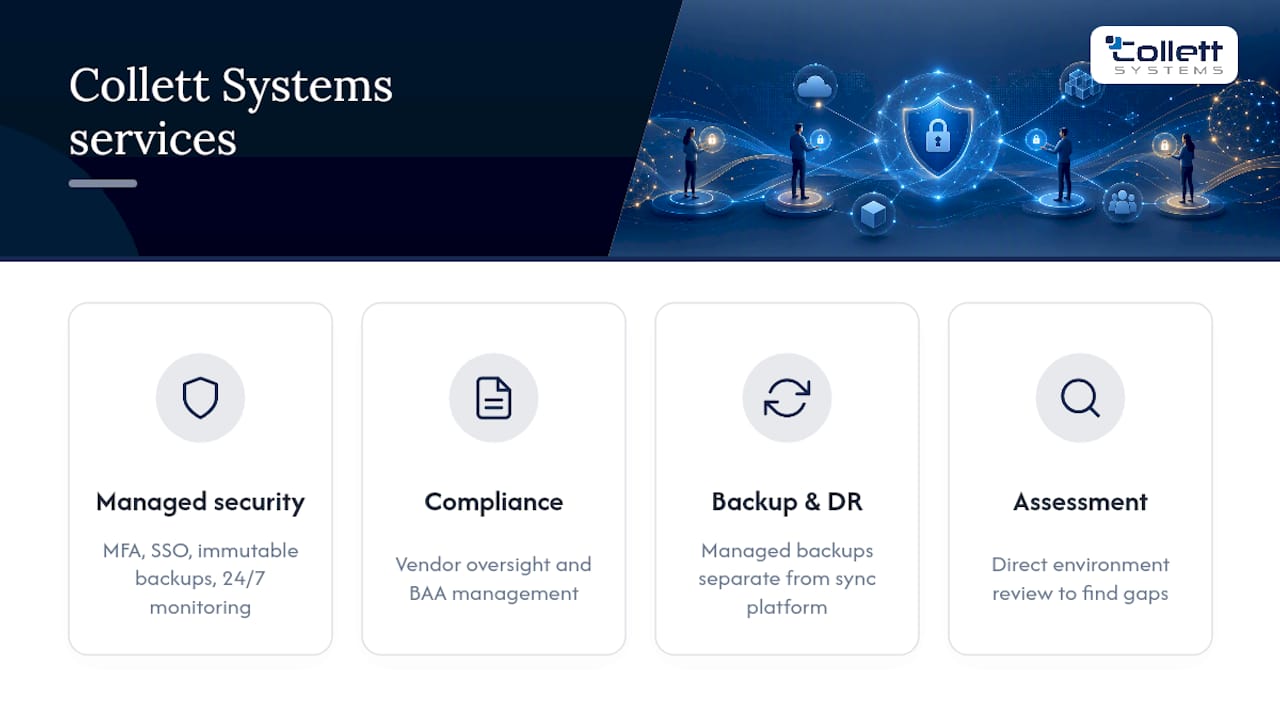
Building and maintaining the checklist above in-house takes real time, and most small businesses don't have a dedicated security person to own it. Collett Systems LLC handles that entire stack as part of a fixed per-user managed IT contract, so you get identity-first security, configured MFA and SSO, immutable backups, and 24/7 monitoring without hiring anyone new.
We work with law firms, accounting and financial services firms, and manufacturers across Southeastern Wisconsin who need documented compliance support, not just a subscription to a file-sharing app. That includes vendor oversight and BAA management for regulated clients, managed backup and disaster recovery that's separate from your sync platform, and MFA enforcement across every account, including outside collaborators. The result for our clients is fewer user errors, faster recovery after an incident, and a written security program they can hand to an auditor or a client asking hard questions. If you serve regulated clients, our legal IT services and financial services support are built around exactly these requirements.
If you're not sure where your current setup stands, the fastest way to find out is a direct look at your environment. Book a Security Assessment with our team, and we'll show you exactly where the gaps are and what it takes to close them.
Why most SMBs get file sharing wrong (and what actually fixes it)
The pattern repeats across almost every business we've reviewed: someone adopts a convenient tool for one task, it quietly becomes the default for everything, and two years later nobody remembers who has access to what. Stale permissions are the single most common finding in a security review, not exotic malware, not a zero-day exploit. Just an ex-employee's account that was never revoked, or a shared link from 2023 that's still live.

The fix isn't more tools. It's fewer, standardized ones, applied consistently, with identity controls that don't depend on someone remembering to do the right thing. Businesses that treat security as a fixed part of their IT stack, rather than a checkbox they revisit after something breaks, consistently show fewer incidents and faster recovery when something does go wrong. Standardization removes the human forgetfulness factor that causes most breaches in the first place.
Collett Systems LLC has built its entire model around that principle: one fully loaded stack, applied the same way for every client, so nothing gets skipped because it seemed optional at setup.
, Dustin Collett
Sources
For readers who want to verify the compliance and technical claims covered here directly:
FAQ
What is the best way to share business documents?
Match the method to the file's sensitivity: encrypted business cloud storage with admin controls for internal work, expiring password-protected links or upload portals for one-off client deliveries, and a BAA-backed managed platform for anything involving PHI or regulated financial data.
How do I create a secure file share?
Start with encrypted cloud storage that supports SSO, enforce MFA on every account including external collaborators, set default link expiration, and turn on immutable audit logging so you can see exactly who accessed what and when.
Is file sharing illegal in the US?
File sharing itself isn't illegal; what's regulated is how you handle specific categories of data, such as protected health information under HIPAA or customer financial data under the FTC Safeguards Rule, both of which require documented safeguards and signed vendor agreements.
What is the best shared drive for business?
There's no single best platform for every business; the right choice depends on your data sensitivity and compliance obligations, with standard business cloud storage suiting internal collaboration and a managed, BAA-backed solution required for regulated files. A managed IT provider can configure and maintain either correctly so nothing falls through the cracks.