Choose Teams Phone if your organization already runs on Microsoft 365 and wants to consolidate calling into a platform you already pay for. Choose RingCentral if telephony depth, advanced IVR, or a native contact center are your primary requirements. That single trade-off drives nearly every decision in this comparison.
Pick Teams Phone when:
- Your organization holds Microsoft 365 E3 or E5 licenses and wants the lowest incremental cost path to cloud calling
- Compliance, eDiscovery, and retention policies are already managed inside the Microsoft 365 stack
Pick RingCentral when:
- You need sophisticated call routing, skills-based queuing, or a native contact center (RingCX) without building on top of Teams
- Your business relies on deep third-party CRM integrations and wants purpose-built telephony analytics out of the box
Both platforms are legitimate UCaaS choices. The difference is whether you are consolidating inside Microsoft or building a telephony-first stack that happens to coexist with it.
Table of Contents
- How do Teams Phone and RingCentral compare side by side?
- What features actually differ between the two platforms?
- What does Teams Phone vs RingCentral actually cost?
- How do you deploy Teams Phone or RingCentral?
- How do the two platforms handle security and compliance?
- How do you manage and support each platform day to day?
- How do you decide, and what should you ask vendors?
- What do real deployments look like in practice?
- Which platform should you choose, and what are the next steps?
- Key Takeaways
- What MSPs see that vendor demos never show you
- How Collett Systems LLC helps you deploy and manage UC without the guesswork
- Useful sources and further reading
How do Teams Phone and RingCentral compare side by side?
| Dimension | Collett Systems (Managed UC) | Microsoft Teams Phone | RingCentral (RingEX) | 8x8 | 3CX |
|---|---|---|---|---|---|
| Best for | SMBs wanting managed, fixed-cost UC deployment in Southeastern Wisconsin | M365-standardized organizations consolidating calling | Telephony-first teams needing advanced IVR and contact center | UCaaS buyers wanting integrated voice + contact center | Organizations wanting self-hosted or highly configurable PBX |
| Pricing shape | Fixed per-user managed services | Add-on to M365 (~$8, $15/user/mo) | Standalone UCaaS (~$20, $35/user/mo) | Tiered UCaaS plans | License + hosting costs |
| Core telephony | Managed deployment of either platform | PSTN calling via Calling Plans or Direct Routing | Native IVR, call queues, routing, recording | Integrated voice + contact center | Full PBX feature set, on-prem or hosted |
| Contact center | Managed RingCX or Teams-based CCaaS | Requires third-party add-on | Native RingCX, skills-based routing | Integrated CC suite | Limited native CC; third-party integration |
| Integrations | Coordinates M365, RingCentral, and CRM integrations | Deep M365 native; third-party via connectors | native integrations, Salesforce, ServiceNow | Broad integrations | API-based, more DIY |
| Admin complexity | Managed by Collett Systems LLC | Teams Admin Center + PowerShell overhead | Purpose-built admin portal | Moderate | High for self-hosted |
| Compliance | Managed compliance documentation | M365 eDiscovery, retention, audit logs | Out-of-box call monitoring, SOC 2 certified | SOC 2, HIPAA options | Varies by deployment |
| Deployment complexity | Handled end-to-end | Direct Routing requires SBC config; Calling Plans simpler | Standalone deployment; coexistence with Teams possible | Moderate | High for on-prem |
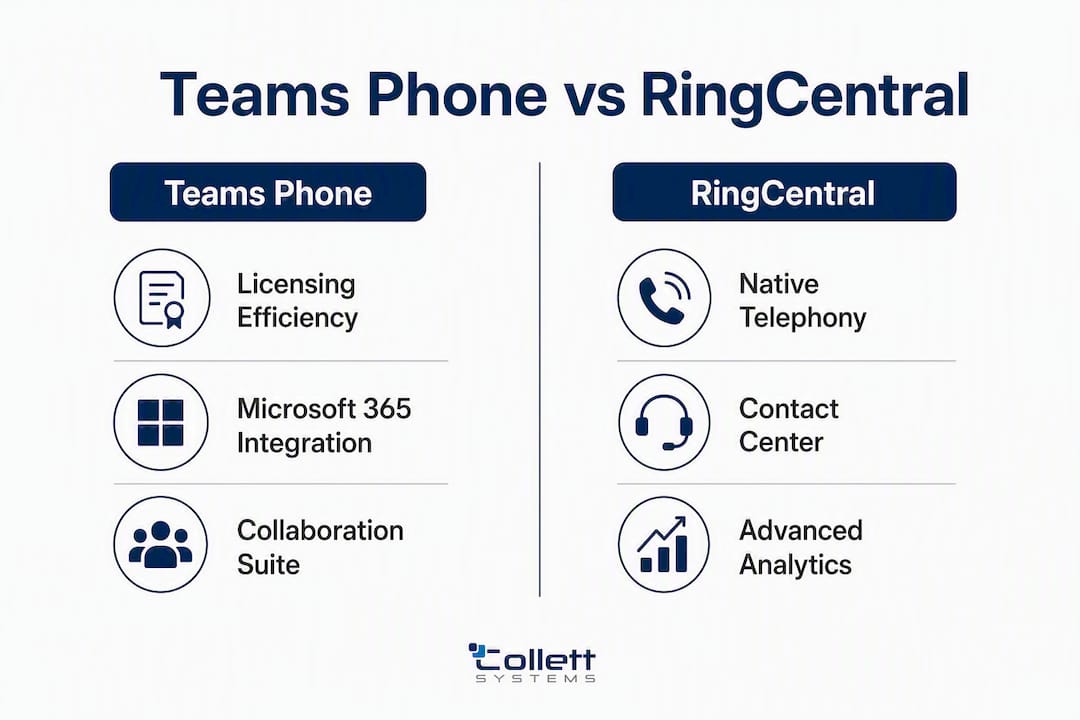
The core trade-off is consolidation versus telephony depth. Teams Phone wins on licensing efficiency inside Microsoft 365; RingCentral wins on native telephony features and contact-center readiness.
Pricing range: RingCentral entry-to-mid plans typically run $20, $35/user/month, while Teams Phone calling-plan add-ons are frequently cited around $8, $15/user/month. Those figures shift based on negotiation, Microsoft licensing tier, and what add-ons each deployment actually requires.
What features actually differ between the two platforms?
Core telephony: PSTN calling, IVR, call queues, and recording
Teams Phone delivers PSTN calling through two paths: Microsoft Calling Plans (fully cloud, simpler to manage) or Direct Routing via a Session Border Controller. The Calling Plans path is straightforward. Direct Routing gives you carrier flexibility but adds SBC configuration, carrier relationships, and often professional services to the project scope.
RingCentral ships with native IVR, multi-level auto-attendants, skills-based call queuing, and call recording as standard features. You do not need to bolt on a third-party system to get a functional contact-center-ready phone system.
- Call queues:, Both platforms support them; RingCentral's skills-based routing is more granular out of the box
Pro Tip: If your team handles inbound call volume with specific routing rules (language, skill, department), test both platforms' IVR configuration during a pilot. RingCentral's native routing typically requires less custom development to reach the same result.
Contact center and CX capabilities
RingCentral's native contact center offering, RingCX, is purpose-built and bundled within the RingCentral ecosystem. Supervisors get real-time dashboards, whisper coaching, and call barge without purchasing a separate CCaaS license. For strict contact-center and supervisor-monitoring requirements, the out-of-the-box analytics and RingCX options make RingCentral an easier fit than building the same capability on top of Teams Phone.
Teams Phone requires a third-party contact center integration (Genesys, Five9, NICE, or others via the Microsoft certified contact center program) to reach equivalent capability. That adds licensing cost and integration complexity.
Messaging, collaboration, and video meetings
Teams Phone is an add-on to Microsoft Teams, which means you get the full Teams collaboration suite: persistent chat, channels, file sharing via SharePoint, and video meetings up to 1,000 participants (Teams Premium). The collaboration layer is mature and deeply integrated with Microsoft 365 apps.

RingCentral's unified app combines messaging, video (RingCentral Video), and phone in a single interface. Video meetings support up to 200 participants on standard plans. If your organization already uses Teams for collaboration, RingCentral can coexist as the telephony layer without replacing Teams entirely.
Analytics and real-time reporting
RingCentral provides more granular, out-of-the-box call monitoring and analytics that supervisors can use without deep Microsoft compliance knowledge. Live call monitoring, historical reporting, and supervisor dashboards are available natively.
Teams Phone analytics live in the Teams Admin Center and the Microsoft 365 admin portal. Call quality dashboards and usage reports are available, but advanced supervisor workflows typically require Power BI integration or a third-party analytics layer.
What does Teams Phone vs RingCentral actually cost?
Typical per-user pricing
| Platform | Entry tier | Mid tier | Notes |
|---|---|---|---|
| Teams Phone (Calling Plan add-on) | ~$8/user/mo | ~$15/user/mo | Requires existing M365 license; Direct Routing may reduce per-user cost but adds SBC/carrier costs |
| RingCentral Core (RingEX) | ~$20/user/mo | ~$25, $35/user/mo | Includes messaging, video, and phone; contact center (RingCX) is a separate add-on |
| 8x8 | Varies by plan | Varies by plan | Integrated CC available; pricing not publicly listed at a standard rate |
| 3CX | License + hosting | License + hosting | Self-hosted reduces per-user cost; IT overhead is higher |
Pricing based on publicly reported ranges; actual figures depend on contract size and negotiation.
Example cost calculations
20-seat SMB (annual):
- Teams Phone (Calling Plan add-on, assuming existing M365 E3): ~$8/user/mo × 20 × 12 = ~$1,920/year in calling add-ons
- RingCentral Core: ~$20/user/mo × 20 × 12 = ~$4,800/year
- The Teams Phone path looks cheaper, but add SBC setup costs if you choose Direct Routing, plus any compliance recording add-ons.
100-seat mid-market (annual):
- Teams Phone: ~$12/user/mo × 100 × 12 = ~$14,400/year in add-ons (mid-tier calling plan)
- RingCentral Advanced: ~$25/user/mo × 100 × 12 = ~$30,000/year
- At this scale, RingCentral's native analytics and IVR may eliminate third-party tools that would otherwise add cost to the Teams Phone deployment.
500-seat enterprise (annual):
- Teams Phone: If the organization holds E5 licenses, Teams Phone is included. Add Direct Routing carrier costs and SBC management.
- RingCentral Ultra: ~$35/user/mo × 500 × 12 = ~$210,000/year, but includes contact center, analytics, and recording natively.
- Teams Phone often appears cheaper for organizations on E3/E5, but complex routing, compliance recording, and contact-center needs frequently require third-party services that erase the initial cost advantage.
Hidden costs to budget for
- Premium support:, Enterprise support tiers cost extra on both platforms.
- Microsoft licensing:, If your organization is on M365 Business Basic rather than E3/E5, the incremental cost of Teams Phone calling rises.
Contract terms also matter. RingCentral typically offers annual or multi-year contracts with discounts; month-to-month pricing is higher. Teams Phone calling plans are available monthly through Microsoft but negotiated pricing requires volume commitments.
How do you deploy Teams Phone or RingCentral?
Deployment paths
Teams Phone offers two primary paths:
- Microsoft Calling Plans:, Microsoft acts as your carrier. Simplest to manage, no SBC required, but limited to markets where Microsoft offers PSTN coverage and less carrier flexibility.
RingCentral deploys as a standalone UCaaS platform. It can also run alongside Teams in a coexistence model, where Teams handles collaboration and RingCentral handles primary telephony. Many organizations adopt exactly this hybrid approach because the two tools integrate and serve different strengths.
Typical deployment timeline
| Task | Teams Phone (Calling Plans) | Teams Phone (Direct Routing) | RingCentral |
|---|---|---|---|
| Tenant/account setup | 1, 3 days | 1, 3 days | 1, 2 days |
| SBC configuration | Not required | 2, 4 weeks | Not required |
| Number porting | 2, 4 weeks | 2, 4 weeks | 2, 4 weeks |
| Pilot (20, 50 users) | 1, 2 weeks | 2, 3 weeks | 1, 2 weeks |
| Org-wide rollout | 2, 4 weeks | 4, 8 weeks | 2, 4 weeks |
| Total typical range | 5, 9 weeks | 9, 15 weeks | 5, 10 weeks |
Timelines are estimates; number porting is the most common source of delay on any platform.
Migration considerations
Number inventory first. Before you start, document every DID, toll-free number, and fax line. Collect the previous carrier's account IDs and designate a point of contact at the donor carrier. Missing this step is the single most common cause of porting delays.
SIP trunk readiness. If you are moving from an on-premises PBX, verify whether your existing SIP trunks can be reused or need to be replaced. Direct Routing for Teams Phone requires a certified SBC; RingCentral uses its own SIP infrastructure.
Pilot design. Run a 20, 50 user pilot for at least two weeks before org-wide cutover. Include power users, a receptionist workflow, and at least one call queue scenario in the pilot scope.
User training. Both platforms require end-user training, but the learning curve differs. Teams Phone users who already use Teams daily adapt quickly. RingCentral's unified app has a short learning curve but is a new interface for Microsoft-first organizations.
RingCentral app migration note. RingCentral consolidated legacy apps into a single unified RingCentral app; the older RC Phone and standalone Meetings apps reached end-of-life. If your organization still runs those legacy clients, admins must migrate users to the unified app to receive security and feature updates. Verify your current app versions during scoping.
How do the two platforms handle security and compliance?
Compliance features checklist
- Certifications:, Both platforms hold SOC 2 Type II attestations. Microsoft Teams also holds ISO 27001, FedRAMP (for government tenants), and HIPAA BAA availability. RingCentral holds SOC 2 and HIPAA BAA options.
- E911:, Both platforms support Enhanced 911, but address provisioning, testing, and per-location charges require explicit planning before cutover. Vendors differ in how they provision and charge for emergency services, so confirm the exact process and cost during your evaluation.
Supervisor monitoring and analytics
RingCentral provides more granular, out-of-the-box call monitoring and analytics that supervisors can use without deep Microsoft compliance expertise. Live call monitoring, barge, whisper, and historical reporting are available natively. Teams Phone supervisor tools require the Teams Admin Center and, for advanced scenarios, Power BI or a third-party analytics integration.
For organizations in regulated industries (financial services, healthcare, legal), the compliance recording path matters as much as the platform itself. Teams Phone's M365-native eDiscovery is a genuine advantage if your legal team already works in Microsoft Purview. RingCentral's out-of-the-box supervisor tools are a genuine advantage if your operations team needs daily call monitoring without IT involvement.
How do you manage and support each platform day to day?
Admin portals and management overhead
Teams Phone is managed through the Teams Admin Center, supplemented by PowerShell for bulk provisioning, policy assignment, and advanced configuration. Power Platform (Power Automate) handles more complex call flow automation. Teams Phone is often the lowest incremental cost path for M365 organizations, but it can introduce management overhead via Teams Admin Center, PowerShell, and Power Platform. That overhead is real: organizations without a dedicated Teams administrator often underestimate the staff time required.

RingCentral's admin portal is purpose-built for telephony management. Number provisioning, call queue configuration, IVR editing, and user management are all accessible through a single web interface without PowerShell. For IT teams without deep Microsoft expertise, this reduces day-to-day management friction.
Analytics and reporting
- Teams Phone: Call quality dashboard, usage reports, and PSTN call records in the Teams Admin Center; advanced analytics require Power BI
- RingCentral: Native real-time and historical analytics, supervisor dashboards, call quality metrics, and performance reports in the admin portal without additional tools
Support models
Both platforms offer tiered support. Microsoft provides standard support through Microsoft 365 admin center tickets, with Premier/Unified support available at additional cost. RingCentral offers 24/7 phone and chat support on most plans, with dedicated account management on enterprise tiers.
Pro Tip: When evaluating support, ask each vendor specifically about Direct Routing support scope. Microsoft's standard support covers the Teams platform; SBC and carrier issues are often out of scope and fall to your SBC vendor or MSP. RingCentral's support covers the full stack it manages, which is a meaningful difference for smaller IT teams.
How do you decide, and what should you ask vendors?
Decision checklist
Match your organization's profile to the platform that fits:
- M365-first, budget-conscious SMB: Teams Phone via Calling Plans. Lowest incremental cost, familiar interface, M365 compliance integration.
- Telephony-heavy, contact-center-dependent: RingCentral. Native IVR, RingCX, and supervisor tools without third-party add-ons.
- Hybrid collaboration + telephony: Teams for collaboration, RingCentral for telephony. Both tools coexist and integrate.
- On-premises or self-hosted PBX preference: 3CX. Highly configurable, self-hosted, lower per-user cost at the expense of higher IT overhead.
- Integrated UCaaS alternative: 8x8. Established UCaaS with integrated contact center and global PSTN footprint, worth evaluating alongside RingCentral.
10 vendor questions to ask during evaluation
- What Microsoft 365 license tier is required before Teams Phone calling plans can be added, and does our current license qualify?
- Does your Direct Routing support include SBC configuration and carrier coordination, or is that out of scope?
- Is compliance recording included in the base plan, or is it a separately licensed add-on? Which certified partners do you support?
- How is E911 provisioned for remote workers and multiple office locations, and what are the per-location charges?
- What is your standard number porting timeline, and what information do you need from us to start the process?
- Is RingCX (contact center) bundled with any RingEX plan tier, or is it always a separate contract?
- What is your support SLA for P1 outages, and does that SLA cover Direct Routing and SBC issues or only the cloud platform?
- How are retention policies and eDiscovery configured for call recordings, and does it require Microsoft Purview or a separate tool?
- What are the contract terms, and what are the penalties or notice periods for reducing user count?
- Can you provide a total cost estimate that includes porting fees, E911 charges, compliance recording, and any professional services required for our specific configuration?
Red flags to watch for
- Vague SLA language that does not specify response time by severity level
- Pricing quotes that exclude porting fees, E911 charges, or compliance recording
- No clear answer on Direct Routing support scope
- Contact center capability described as "available" without specifying whether it requires a separate contract
- Integration with your CRM described as "supported" without a live demo or documented connector
What do real deployments look like in practice?
The hybrid model is more common than vendors admit
Many organizations end up using Teams for daily collaboration and RingCentral for primary business telephony because neither platform dominates both use cases. Teams wins on collaboration depth; RingCentral wins on telephony maturity. The two tools integrate, and for organizations with a significant call volume or a contact center, the hybrid approach often delivers better outcomes than forcing one platform to do everything.
This pattern shows up most often in mid-market firms (50, 500 seats) that adopted Teams during the shift to remote work and then discovered that Teams Phone's IVR and contact-center capabilities required more customization than expected.
Migration best practices from the field
- Inventory numbers before anything else. Collect every DID, toll-free number, and fax line, along with the carrier account IDs. Number porting is the most common source of project delay, and incomplete inventories make it worse.
- Align E911 addresses early. Provision and test emergency services for every office location and remote worker before cutover, not after.
- Verify compliance recording requirements before selecting a platform. If your industry requires regulatory-grade recording, confirm the recording path and its cost before signing a contract.
- Run a structured pilot. A two-week pilot with real call queues, IVR scenarios, and a receptionist workflow surfaces integration issues that a demo never will.
- Plan for RingCentral app migration if applicable. RingCentral's app consolidation may require admins to migrate users from older RC Phone or RingCentral Meetings apps to the unified app. Verify app versions across all devices during scoping.
Pro Tip: The hidden IT cost of Teams Phone is PowerShell. Bulk user provisioning, policy changes, and Direct Routing configuration all rely on PowerShell scripts that require ongoing maintenance. If your IT team does not have a dedicated Teams admin, factor in the staff time or MSP cost before assuming Teams Phone is the cheaper option.
For organizations evaluating alternatives to RingCentral or looking at how UCaaS features map to specific deployment scenarios, reviewing independent telecom comparisons alongside vendor materials gives a more complete picture.
Which platform should you choose, and what are the next steps?
Recommendation by business profile
| Business profile | Recommended platform | Rationale |
|---|---|---|
| M365-first SMB (under 100 seats, existing E3/E5) | Teams Phone via Calling Plans | Lowest incremental cost; familiar interface; M365 compliance integration |
| Telephony-heavy mid-market (contact center, advanced IVR) | RingCentral (RingEX + RingCX) | Native contact center, supervisor tools, and analytics without third-party add-ons |
| Enterprise with complex compliance + contact center | Hybrid or RingCentral with M365 coexistence | Teams for collaboration + RingCentral for telephony; or RingCentral with M365 SSO |
| SMB wanting managed, fixed-cost deployment | Collett Systems LLC managed UC | Assessment, migration, and ongoing management with fixed per-user pricing |
Three immediate next steps
- Run a 30-day pilot. Stand up both platforms in a controlled pilot with 20, 50 users, real call queues, and at least one IVR scenario. Demos do not surface integration friction; pilots do.
- Request a total cost estimate with porting. Ask each vendor for a written quote that includes porting fees, E911 charges, compliance recording licensing, and any professional services required for your specific configuration.
- Engage an MSP for migration and runbook. If your IT team does not have dedicated Teams or RingCentral expertise, an MSP handles SBC configuration, number porting coordination, compliance documentation, and user training, reducing the risk of a delayed or misconfigured rollout.
Key Takeaways
Teams Phone wins on licensing efficiency inside Microsoft 365; RingCentral wins on native telephony depth, contact-center readiness, and out-of-the-box supervisor analytics.
| Point | Details |
|---|---|
| Platform fit drives the decision | Teams Phone suits M365-standardized organizations; RingCentral suits telephony-first and contact-center-dependent teams. |
| Pricing gap narrows with add-ons | RingCentral runs at a higher monthly per-user price compared to Teams Phone, but hidden costs (recording, E911, SBC) can affect total cost. |
| Direct Routing adds complexity | Teams Phone via Direct Routing requires SBC configuration and carrier management, adding weeks and often professional services to the project. |
| Hybrid deployments are common | Many organizations use Teams for collaboration and RingCentral for telephony; the two platforms coexist and integrate. |
| Collett Systems LLC manages the full deployment | For SMBs in Southeastern Wisconsin, Collett Systems LLC provides assessment, migration, and ongoing UC management with fixed per-user pricing. |
What MSPs see that vendor demos never show you
The Teams Phone vs. RingCentral debate looks clean on a feature matrix. In practice, the decision that looks obvious in a demo gets complicated fast once you factor in your existing Microsoft licensing tier, your carrier's porting timeline, your compliance recording requirements, and whether your IT team has the bandwidth to manage PowerShell scripts on an ongoing basis.
Here is the part most comparison articles skip: underestimating the IT management overhead of Teams Phone is one of the most common pitfalls we see. The apparent license savings are real, but they assume someone on your team is comfortable with Teams Admin Center, PowerShell, and Power Platform. When that person leaves or gets pulled onto another project, the phone system becomes a liability.
RingCentral's admin portal is genuinely easier to manage day to day for a generalist IT team. That is not a knock on Teams Phone. It is a practical observation about where each platform puts its complexity. Teams Phone moves complexity into Microsoft's ecosystem, which is great if you live there. RingCentral keeps telephony complexity in a purpose-built telephony tool, which is great if your IT team is not Microsoft-specialized.
The organizations that get the best outcomes from either platform are the ones that go into the project with a clear picture of their number inventory, their compliance recording requirements, and their E911 provisioning plan. The ones that struggle are the ones that treat those three items as post-deployment details.
One more thing worth saying plainly: the hybrid model (Teams for collaboration, RingCentral for telephony) is not a compromise. For many mid-market organizations, it is the right answer, and it is worth evaluating deliberately rather than dismissing it because it involves two vendors.
How Collett Systems LLC helps you deploy and manage UC without the guesswork
Choosing between Teams Phone and RingCentral is one decision. Deploying it correctly, porting your numbers without delays, configuring E911 for every location, and keeping it running securely is an ongoing operational commitment.
Collett Systems LLC handles the full deployment lifecycle for SMBs and regional firms in Southeastern Wisconsin: UC platform assessment, Direct Routing and SBC coordination, number porting management, compliance documentation, user training, and 24/7 monitoring after go-live. Fixed per-user pricing means no surprise invoices when a configuration change takes longer than expected. Whether you are moving to Teams Phone, RingCentral, or a hybrid of both, we scope the project honestly, execute the migration, and stay accountable for the result.
Book a UC assessment with Collett Systems LLC to get a clear picture of your current environment, your realistic TCO, and the deployment path that fits your team before you sign a vendor contract.
Useful sources and further reading
| Source | What it covers |
|---|---|
| Microsoft Teams Phone overview (Microsoft Learn) | Official Microsoft documentation on Teams Phone deployment paths, Direct Routing, and Calling Plans |
| Microsoft Teams Phone product page | Microsoft's current Teams Phone feature summary and licensing options |
| RingCentral Phone app end-of-life notice (RingCentral Support) | Support notice on legacy RC Phone and Meetings app retirement and migration to the unified app |
| RingCentral unified app upgrade FAQ (RingCentral Support) | Admin guidance for migrating users from legacy RingCentral apps to the unified RingCentral app |
| Microsoft Teams vs. RingCentral Office comparison (PCMag) | Independent editorial comparison of Teams and RingCentral for business communication |
| RingCentral vs. Microsoft Teams head-to-head (GetVoIP) | Feature and use-case comparison focused on VoIP and UCaaS decision-making |
| Microsoft Teams Phone vs. RingCentral UCaaS comparison (ITG Group) | Detailed feature, pricing, and deployment comparison with TCO analysis |
| RingCentral vs. Microsoft Teams Phone full comparison (Big Mode Consulting) | Pricing ranges, compliance features, and supervisor analytics comparison |
| RingCentral alternatives overview (BusinessVoIP.ca) | Practical notes on RingCentral alternatives and UCaaS coexistence patterns |