IT infrastructure management is the ongoing, proactive discipline of overseeing an organization's servers, networks, storage, software, and services to keep business systems reliable, secure, and aligned with operational goals, not just fixing problems as they arise, but planning for stability months and years ahead. Where day-to-day IT operations handles tickets and immediate user needs, infrastructure management focuses on the technology foundation: capacity planning, lifecycle decisions, and long-term resilience. Get it right and you reduce unplanned downtime, control costs before they spike, and give your security posture a fighting chance. The rest of this guide breaks down exactly how to do that.
Key Takeaways
Effective IT infrastructure management requires proactive monitoring, documented processes, and lifecycle discipline, not just reactive fixes when systems fail.
| Point | Details |
|---|---|
| Define scope before managing | Map all seven component categories, hardware, OS, networking, storage, data center/cloud, virtualization, and people/processes, before assigning ownership. |
| Three loops drive reliability | Monitoring, change management, and incident response are the core operational loops; most outages trace back to one of them missing or misfiring. |
| Patch compliance and backup testing are the top KPIs | Target high patch compliance and successful backup restore tests as your baseline health indicators. |
| Build the business case in risk terms | Frame infrastructure investments as risk reduction with measurable outcomes, downtime cost, recovery probability, and regulatory exposure, to win executive approval. |
| Collett Systems LLC delivers a fixed-cost managed stack | SMBs in Southeastern Wisconsin get 24/7 monitoring, proactive patching, security, and DR under one predictable per-user contract with no tiered surprises. |
Table of Contents
- What does IT infrastructure management actually cover?
- Who owns what: roles and the governance model
- Core strategies and best practices for reliable, secure infrastructure
- Which tool categories actually support infrastructure management?
- How do cloud and hybrid environments change your management approach?
- Managing the asset lifecycle from procurement to decommission
- What KPIs tell you whether your infrastructure program is working?
- A practical 90-day plan to build or improve your program
- How Collett Systems LLC approaches IT infrastructure management
- What experienced infrastructure managers actually emphasize
- Fixed-cost infrastructure management for SMBs in Wisconsin
- Sources
What does IT infrastructure management actually cover?
The scope is broader than most people expect. A well-run program covers 24/7 monitoring, automated patching, disaster recovery testing, and rigorous capacity planning, all working together to keep systems available when the business needs them. Seven component categories define the practical scope, and every organization should be able to map its environment to each one.
Hardware: servers and endpoints
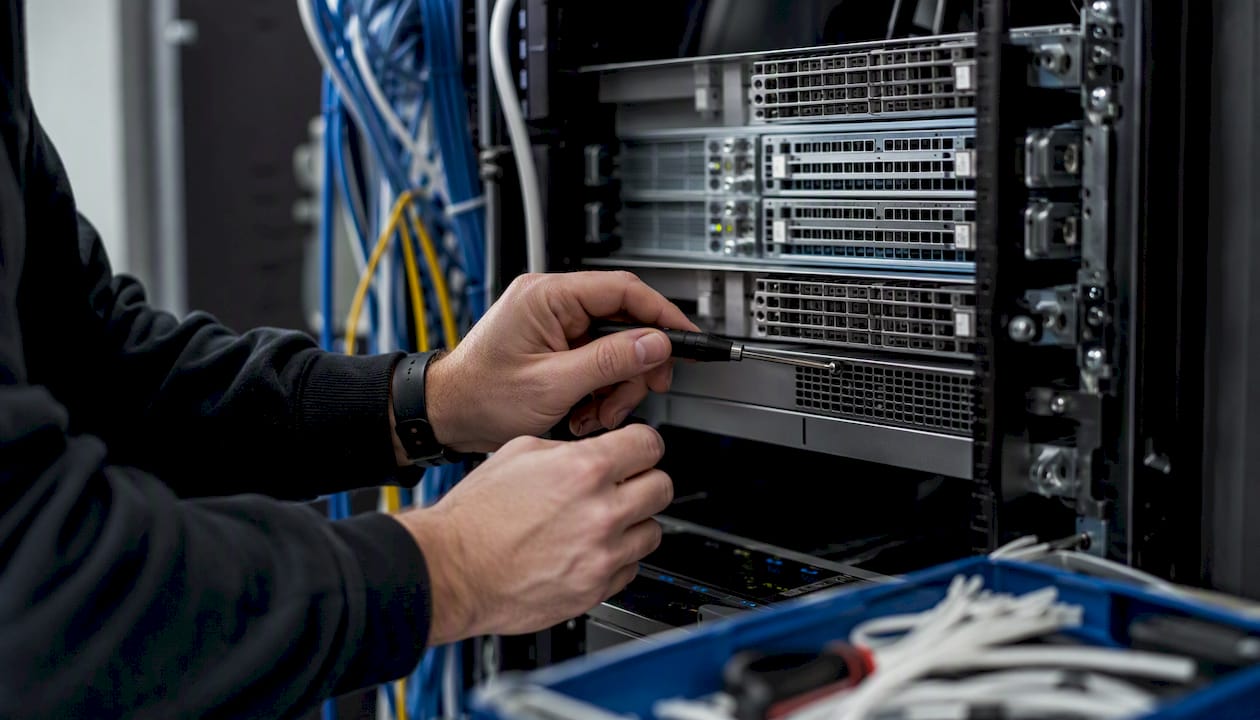
Physical servers, workstations, laptops, printers, and any device that touches your network. Management tasks include firmware updates, warranty tracking, hardware health monitoring, and replacement planning before failures happen.
Operating systems, middleware, and applications
The software layer that runs on top of hardware. This includes Windows Server, Linux distributions, hypervisors like VMware or Hyper-V, and the middleware that connects applications. Patching cadence and version lifecycle tracking are the primary management tasks here.
Network infrastructure
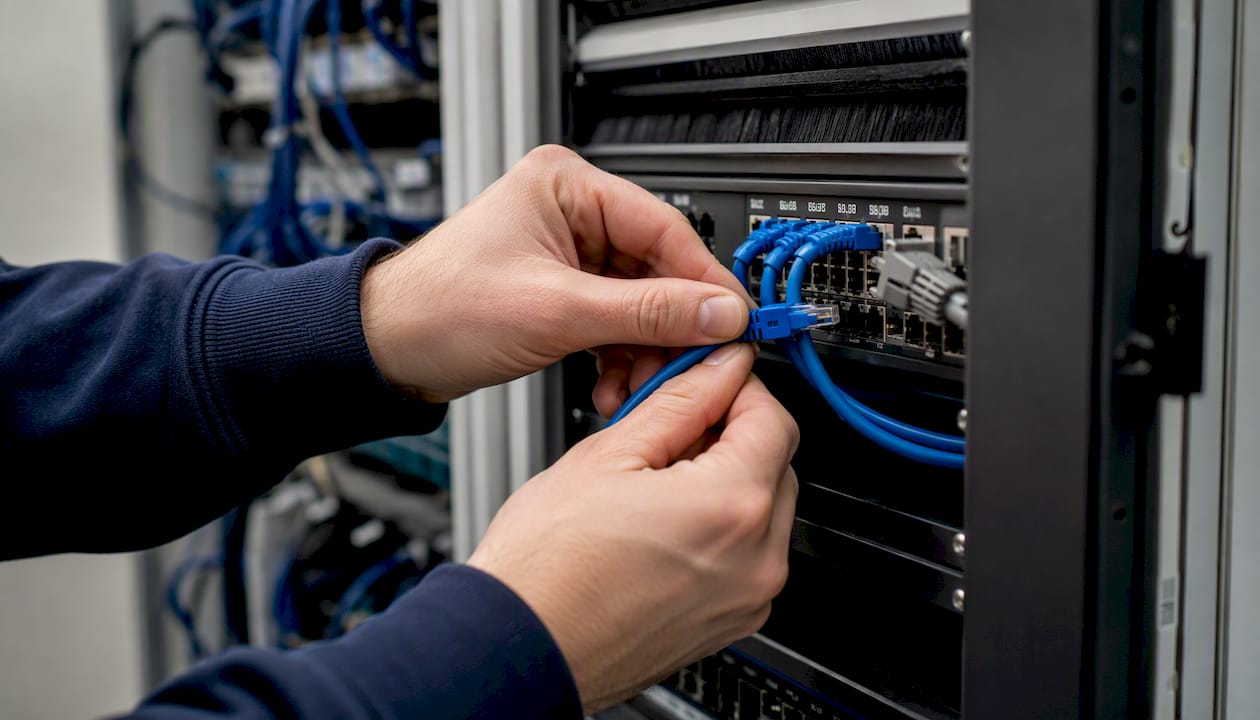
LAN/WAN connectivity, routers, switches, firewalls, and increasingly SD-WAN overlays for multi-site organizations. Network management means monitoring bandwidth utilization, enforcing segmentation policies, and maintaining routing configurations in a documented, change-controlled state.
Storage and backup systems
On-premises SAN/NAS arrays, cloud object storage, and the backup software that ties them together. Capacity forecasting and backup recovery testing are non-negotiable here. A backup you have never tested is not a backup.
Data centers and cloud platforms
Whether you run a server room, a colocation cage, or workloads in AWS, Azure, or Google Cloud, the management tasks shift but do not disappear. Power, cooling, and physical security matter on-prem; identity, cost governance, and shared-responsibility boundaries matter in the cloud.
Virtualization and containers
VMware, Hyper-V, Kubernetes, and Docker environments add an abstraction layer that multiplies what a small team can run, but also multiplies configuration drift risk. Standardized templates and infrastructure-as-code practices keep these environments consistent.
People and processes
Technology without documented processes and clear ownership fails. Change management, incident response playbooks, and defined on-call responsibilities are as much a part of infrastructure as the hardware itself.
Cross-cutting controls to layer across all categories: identity and access management (IAM), centralized logging and observability, and tested backup and recovery procedures. These apply everywhere, not just to one component bucket.
Pro Tip: For a first 30, 90 day assessment, start with hardware and network inventory before touching anything else. You cannot manage what you have not documented. Use a discovery tool like Lansweeper or your RMM platform to auto-populate an asset list, then layer in software and cloud accounts. Prioritize anything without a known owner or an active support contract.
Who owns what: roles and the governance model
Clear ownership prevents the two most common failure modes: nobody watching a critical system, or two teams watching it and neither acting. Infrastructure management and IT operations are related but distinct, infrastructure work is planning-driven and lifecycle-oriented, while operations work is ticket-driven and reactive. Both are necessary, and the boundary between them needs to be explicit.
Core roles
- Infrastructure manager/lead: Sets strategy, owns capacity planning, manages vendor relationships, and is accountable for uptime SLAs. This person bridges technical execution and executive reporting.
- Network engineer: Owns LAN/WAN design, firewall rules, routing, and SD-WAN configurations. Responsible for network change control and documentation.
- Systems administrator: Manages server operating systems, patching schedules, virtualization platforms, and storage. Often the person who runs backup jobs and monitors disk health.
- Cloud engineer: Owns cloud account governance, cost management, IaC templates, and cloud security posture. In smaller teams, this role overlaps with the systems administrator.
- Security/DevSecOps: Owns endpoint protection, SIEM alerting, vulnerability scanning, and security policy enforcement. Works across every other role rather than in isolation.
- SRE/observability lead: Defines monitoring standards, alert thresholds, and incident response runbooks. Focuses on reliability metrics like MTTR and availability.
- Service desk/operations: Handles user-facing tickets and first-level triage. Escalates to infrastructure roles when issues cross from a user problem to a system problem.
RACI ownership for key functions
| Function | Responsible | Accountable | Consulted | Informed |
|---|---|---|---|---|
| Patch management | Sysadmin | Infra manager | Security | Leadership |
| Capacity planning | Infra manager | CTO/IT director | Cloud engineer | Finance |
| Backup and recovery | Sysadmin | Infra manager | Security | Leadership |
| Change control | Infra manager | Change advisory board | All technical leads | Service desk |
| Security monitoring | Security | Infra manager | SRE | Leadership |
When to consider an MSP or co-managed model
Most SMBs hit a point where 24/7 monitoring, specialized security coverage, and deep cloud expertise exceed what an internal team can sustain. The signals are clear: alert queues going unreviewed overnight, patches slipping past their window, or a security incident that reveals nobody was watching the right logs. A co-managed IT arrangement lets you keep internal staff for day-to-day work while a partner covers specialized monitoring, security, and after-hours response, without replacing your team.
Core strategies and best practices for reliable, secure infrastructure
The difference between an organization that recovers from an outage in 20 minutes and one that recovers in 20 hours usually comes down to whether these practices were in place before the incident. A mature program runs on three operational loops: monitoring, change management, and incident response. Most outages trace back to one of these loops missing or misfiring.
High-impact practice checklist
- Proactive monitoring with tuned alerts. Monitor what matters, CPU, memory, disk, network throughput, service availability, and backup job status. Alert fatigue is a leading cause of missed incidents, so tune thresholds and route alerts to the right owner rather than broadcasting everything to everyone.
- Automated patching tied to change windows. Schedule patch deployment during low-traffic windows with automatic rollback capability. Manual patching is the single largest source of patch compliance gaps in SMB environments.
- Configuration management and drift detection. Use tools like Ansible, Puppet, or your RMM platform's policy engine to enforce baseline configurations. Detect and remediate drift before it becomes a vulnerability.
- Scheduled disaster recovery testing. A DR plan that has never been tested is a theory, not a plan. Run tabletop exercises quarterly and full recovery tests at least annually.
- Risk-based security controls. Align security investments with business impact, prioritize identity and access management, endpoint protection, and network segmentation before spending on advanced tools.
- Formal change control. Every planned change to production infrastructure goes through a documented review: what changes, who approves, what the rollback plan is, and how success is measured.
- Incident postmortem process. After every significant incident, document the timeline, root cause, contributing factors, and corrective actions. A five-line postmortem template beats a blank page every time.
Sample postmortem template
- Incident summary: What failed, when, and for how long.
- Timeline: Key events from first alert to resolution.
- Root cause: The specific technical or process failure.
- Contributing factors: What made the root cause possible.
- Corrective actions: Specific tasks, owners, and due dates.
Practical sequencing
If you are starting from zero formal practices, begin with monitoring and patching, they deliver the fastest risk reduction per hour of effort. Add change control and DR testing once you have a baseline. Automation and configuration management come next, after you have documented what "correct" looks like for your environment.
Pro Tip: The single practice most likely to reduce repeated incidents is automated patching tied to a tested rollback plan. Organizations that patch on a defined schedule with a documented rollback procedure see far fewer emergency change requests and far fewer repeat vulnerabilities. Set the window, automate the deployment, and test the rollback before you need it.
Which tool categories actually support infrastructure management?
Tool sprawl is a real problem. Teams accumulate point solutions until nobody knows which system is authoritative for what. The answer is not fewer tools, it is the right categories, integrated so alerts, asset data, and change records flow between them.
| Tool Category | Primary Value | Deployment Scope | Who Benefits Most |
|---|---|---|---|
| Monitoring/observability | Real-time visibility into system health and performance | Endpoints, servers, cloud, network | ITOps, SRE |
| CMDB/ITAM | Authoritative asset inventory and relationship mapping | All assets and services | ITOps, finance, compliance |
| Configuration management/IaC | Enforce baseline configs, automate provisioning | Servers, cloud, network devices | ITOps, cloud engineering |
| Patch management/RMM | Automate OS and application patching, remote management | Endpoints and servers | Sysadmins, security |
| Backup and DR | Protect data, enable recovery, test restore procedures | All data-bearing systems | ITOps, leadership |
| Identity management | Control access, enforce MFA, manage privileged accounts | All users and systems | Security, compliance |
| Security (EDR/SIEM) | Detect, investigate, and respond to threats | Endpoints, servers, network logs | Security, ITOps |
| Cloud cost and governance | Control cloud spend, enforce tagging and policy | Cloud accounts | Cloud engineering, finance |
Integration priorities
The tool categories above deliver their full value only when they talk to each other. Link your CMDB to your ticketing system so incidents automatically reference the affected asset. Feed monitoring alerts into your incident management workflow rather than a separate inbox. Connect patch management status to your CMDB so you always know which assets are compliant. Shadow IT discovery tools add another layer, they surface unmanaged cloud services and devices that your CMDB does not yet know about.
The operational signal that it is time to adopt a new tool category is usually a repeated failure: patches slipping because there is no RMM, incidents taking hours to diagnose because there is no centralized logging, or a security event that reveals no EDR coverage on a critical server.
How do cloud and hybrid environments change your management approach?
Cloud adoption does not eliminate infrastructure management work, it shifts where the work happens and adds new cost and governance challenges. Rightsizing, tagging, and continuous cloud cost governance are non-negotiable in public cloud environments where billing variability can produce surprise monthly charges.
Operational implications: cloud vs. on-prem
- Elastic scaling: Cloud resources can grow or shrink on demand, but uncontrolled scaling is a cost risk. Set budget alarms and auto-scaling limits from day one.
- Shared responsibility: The cloud provider secures the underlying infrastructure; you are responsible for identity, data, application configuration, and network controls within your account.
- Billing variability: Unlike a fixed hardware depreciation schedule, cloud costs fluctuate with usage. Reserved instances and savings plans convert variable spend to predictable commitments for stable workloads.
- Multi-region considerations: Distributing workloads across regions improves resilience but complicates data residency, latency, and cost management.
Cost control in practice
Rightsizing means matching instance types and sizes to actual workload requirements, not the size that felt safe at provisioning time. Tagging every resource with owner, environment, and cost center makes it possible to allocate spend accurately and identify waste. Budget alarms in AWS Cost Explorer, Azure Cost Management, or Google Cloud Billing catch overruns before the invoice arrives.
Orchestration and avoiding lock-in
Infrastructure as code, Terraform, Pulumi, or cloud-native tools like AWS CloudFormation, enforces repeatable provisioning patterns and makes it practical to move workloads between providers or back on-prem if the business case changes. Standardized landing zones with pre-approved network configurations, IAM policies, and logging pipelines reduce the time it takes to stand up a new environment safely.
Most cloud cost surprises happen in the first 90 days, when teams are still learning which services generate unexpected charges. The alarm gives you time to react before the bill does.
Managing the asset lifecycle from procurement to decommission
Every piece of infrastructure has a lifecycle, and the organizations that manage it deliberately spend less on emergency replacements and avoid the security exposure that comes with running unsupported hardware and software.
The procurement-to-decommission lifecycle
- Requirements and planning. Define the business need, capacity requirements, and budget before selecting a vendor or platform. Involve security and operations in the requirements phase, not after purchase.
- Procurement and vendor selection. Standardize on approved vendors and configurations where possible. Negotiate warranty and support terms upfront, and record contract end dates in your CMDB.
- Deployment and baseline configuration. Deploy against a documented baseline. Use configuration management tools to enforce the standard and flag deviations immediately.
- Operate and maintain. Run the asset within its designed parameters. Monitor performance, apply patches on schedule, and track utilization against capacity thresholds.
- Refresh planning. Begin refresh planning 12, 18 months before end-of-life or end-of-support dates. Hardware running past vendor support is a security liability, not just a performance concern.
- Secure decommission. Wipe or physically destroy storage media before disposal. Document the decommission in your CMDB and remove the asset from all monitoring, patching, and backup jobs.
Checklist for each lifecycle stage
- Procurement: Approved vendor list, warranty terms recorded, support contract end date in CMDB.
- Deployment: Baseline configuration applied, asset registered in CMDB, monitoring agent installed.
- Operations: Patch compliance tracked, utilization reviewed quarterly, backup coverage confirmed.
- Refresh: End-of-life date flagged 18 months out, replacement budgeted in next fiscal cycle.
- Decommission: Data sanitization documented, CMDB record closed, licenses reclaimed.
Capacity planning tie-ins
Review compute, storage, and network utilization quarterly.
What KPIs tell you whether your infrastructure program is working?
Metrics without context are noise. The goal is a small set of indicators that tell leadership whether the program is delivering reliability and security, and tell engineers where to focus next.
Availability, MTTR, and patch compliance are the three metrics most worth surfacing to leadership. They translate directly into business risk language: how often do systems go down, how quickly do we recover, and how exposed are we to known vulnerabilities? Engineers need the full table plus alert volume and false-positive rates to tune their monitoring effectively.
The distinction between a meaningful dashboard and alert noise comes down to ownership. Every metric on a leadership dashboard should have a named owner and a defined response threshold, not just a number that changes color when it crosses a line.
A practical 90-day plan to build or improve your program
Starting a formal infrastructure management program does not require a six-month project. A disciplined 90-day sprint gets the foundational practices in place and creates the visibility needed to prioritize everything that follows.
90-day action plan
- Weeks 1, 2: Discovery and inventory. Deploy a discovery tool across the network. Document every server, endpoint, network device, and cloud account. Identify assets with no owner, no active support contract, or no monitoring coverage.
- Weeks 3, 4: Monitoring baseline. Install monitoring agents on all servers and critical network devices. Define alert thresholds for CPU, memory, disk, and service availability. Route alerts to named owners, not a shared inbox.
- Weeks 5, 6: Quick wins, patching and backups. Audit current patch status and close the most critical gaps first. Verify that backup jobs are running and test at least one restore per system tier. Fix any gaps before moving on.
- Weeks 7, 8: Governance and change control. Document a simple change request process: what requires approval, who approves it, and what the rollback plan looks like. Stand up a lightweight change advisory board meeting, even 30 minutes weekly is enough to start.
- Weeks 9, 10: CMDB baseline. Populate your CMDB with the inventory from weeks 1, 2. Link assets to owners, support contracts, and monitoring records. This becomes the authoritative source for every future decision.
- Weeks 11, 12: Initial automation. Automate the top three repetitive tasks your team performs manually, typically patch deployment, backup verification, and alert acknowledgment routing. Measure time saved and use it to build the case for further investment.
Governance checklist
- Defined SLAs for critical, high, medium, and low priority incidents.
- A documented change request template and approval workflow.
- An incident response playbook for the top five most likely failure scenarios.
- A CMDB with at least 90% of known assets recorded and owned.
Building the business case
Frame infrastructure investments in risk and outcome terms, not technology terms. Aligning spending with business outcomes improves executive buy-in because it speaks to what leadership actually cares about: revenue protection, regulatory exposure, and operational continuity. A simple ROI frame: estimate the cost of one hour of downtime for your most critical system, multiply by your current average annual downtime hours, and compare that to the cost of the monitoring and patching program that would prevent most of those hours.
The managed services vs. internal headcount tradeoff is worth running explicitly. A full-time senior infrastructure engineer in the U.S. carries a fully-loaded cost well above $100,000 annually. A managed IT services contract covering 24/7 monitoring, patching, backup management, and security for a 30-person organization typically costs a fraction of that, and delivers coverage that a single engineer cannot provide around the clock.
How Collett Systems LLC approaches IT infrastructure management
Collett Systems LLC serves manufacturers, financial firms, and small businesses across Southeastern Wisconsin with a model built around one principle: your IT infrastructure should work like a utility, predictable, always on, and never a source of surprise costs.
The managed stack Collett Systems LLC delivers includes:
- 24/7 monitoring and proactive support across endpoints, servers, and network devices, not just during business hours.
- Fixed per-user pricing that covers the full infrastructure management scope, so there are no tiered service surprises or add-on fees when something goes wrong.
- Standardized, fully-loaded IT stack with documented baselines, automated patching, and configuration management built in from day one.
- Security management including endpoint detection and response, managed firewall, and security monitoring, not sold separately.
- Backup and disaster recovery with tested restore procedures, not just backup software running in the background.
- Compliance documentation for manufacturers and financial firms operating under regulatory requirements.
Manufacturers benefit particularly from the standardized stack approach. Production environments cannot tolerate configuration drift or unplanned downtime, and infrastructure standardization through repeatable patterns and automated provisioning directly reduces the environment drift that causes unexpected failures on the shop floor.
For organizations that keep internal IT staff but need specialized coverage, Collett Systems LLC offers a co-managed model where the internal team handles day-to-day operations while Collett Systems provides 24/7 monitoring, security management, and after-hours response. No replacement of existing staff, just the coverage gaps filled.
Pro Tip: If you are evaluating whether your current infrastructure program is working, the fastest diagnostic is a patch compliance audit and a backup restore test. If either one reveals gaps, you have found your starting point. Collett Systems LLC's IT and Security Assessment does exactly this, and gives you a documented baseline to work from.
What experienced infrastructure managers actually emphasize
Most infrastructure programs fail not because of bad technology choices but because of process gaps that were never closed. Three themes come up consistently among practitioners who have built programs that hold up under pressure.
Treat infrastructure as a living lifecycle, not a project. The organizations that struggle most are the ones that treat infrastructure as something you build once and then maintain. Every component has an end-of-life date, every configuration drifts over time, and every environment grows in ways the original design did not anticipate. The teams that stay ahead of this run quarterly reviews of asset age, utilization, and patch status as a standing practice, not a response to a problem.
Automate the routine work before it consumes your team. Patching, backup verification, alert routing, and account provisioning are all candidates for automation. Automation and configuration management are the highest-leverage technical practices for small teams because they free engineers to focus on architecture decisions and risk reduction rather than repetitive tasks. The caution: automate what you understand. Automating a broken process just makes the broken process faster.
Tune your alerts or they will tune you out. Alert fatigue is not a monitoring problem, it is a discipline problem. Every alert that fires without a defined response action trains your team to ignore alerts. Start with five to ten high-confidence, high-impact alerts that always require a response, and expand from there. An alert that nobody acts on is worse than no alert, because it creates the illusion of coverage.
The leadership advice that cuts through most budget conversations: frame every infrastructure investment as a risk reduction measure with a measurable outcome. "We need a new backup system" loses to "our current backup failure rate means we have a one-in-three chance of a failed recovery during our next ransomware event, and the cost of that recovery exceeds the cost of this investment by a factor of ten." Executives respond to risk and outcome framing, not technology specifications.
Fixed-cost infrastructure management for SMBs in Wisconsin
Collett Systems LLC gives small and mid-sized businesses in Southeastern Wisconsin a fully managed infrastructure program at a fixed monthly cost per user, no tiered plans, no surprise invoices, and no gaps in coverage. You get 24/7 monitoring, proactive patching, security management, backup and disaster recovery, and unlimited help desk support under one predictable contract.
Whether you are a manufacturer who cannot afford production downtime, a financial firm with compliance requirements, or a growing business that has outgrown reactive IT support, the model is the same: a standardized, fully-loaded stack with documented baselines and a team that shows up before problems escalate. If you already have internal IT staff, the co-managed option fills the gaps without replacing your team.
The right starting point is a paid IT and Security Assessment that documents your current infrastructure state, identifies gaps in patching, monitoring, and backup coverage, and gives you a prioritized remediation plan. Book your assessment or learn more about managed IT services for your business to get a clear picture of where your infrastructure stands today.
Sources
- IT Infrastructure Management: Complete Guide for 2026
- IT infrastructure management: Strategies & best practices - Atlassian
- Secure IT infrastructure: A practical guide for IT leaders | TechTarget
- IT Infrastructure Management Guide for 2026
- IT Infrastructure Management Explained for Enterprises | Cygnet
For hands-on help assessing and improving your infrastructure program, the Collett Systems LLC IT and Security Assessment is the practical next step for SMBs in Wisconsin who want a documented baseline and a clear remediation plan.