Adopt a tiered, risk-based log retention policy that maps every log type to a searchable window and an archival window, then documents the rationale behind each choice. The goal is to satisfy three demands at once: give investigators enough history to reconstruct an incident, give auditors a paper trail proving the policy is enforced, and give your finance team a storage bill that doesn't spiral. Below is a template and checklist to build one.
TL;DR:
- Retention windows should be chosen based on actual investigation history and regulatory requirements, with longer periods reserved for high-risk logs.
- Implementing a clear legal hold process and maintaining an immutable audit trail are essential for compliance and defensibility.
- Cloud storage defaults often do not meet retention standards; explicit configuration of lifecycle policies and WORM controls are necessary.
- Regular testing of retrieval and deletion workflows ensures that logs can be properly accessed and securely destroyed when needed.
- Managed IT services that incorporate continuous enforcement and documentation help close the gap between written policies and real-world compliance.
Table of Contents
- What Is a Log Retention Policy, and What Logs Does It Cover?
- Why Does Log Retention Matter Beyond Just "Keeping Records"?
- What Should a Defensible Log Retention Policy Include?
- How Do You Decide How Long to Keep Each Log Type?
- How Do PCI DSS, HIPAA, and SOC 2 Shape Retention Requirements?
- What Storage Architecture Actually Supports This Policy?
- How Do You Keep Retained Logs Auditable and Legally Defensible?
- How Do You Cut Storage Costs Without Losing Forensic Value?
- Copy-Paste Policy Template and Retention Schedule
- Implementation Checklist: From Policy to Enforced Reality
- The Gap Between a Written Policy and an Enforced One
- Get Your Retention Policy Built and Enforced, Not Just Written
- Sources
- FAQ
What Is a Log Retention Policy, and What Logs Does It Cover?
A log retention policy is the documented rule set that says how long each category of system-generated log data stays available, where it's stored, who can access it, and how it eventually gets destroyed. It's different from a general data retention guidelines document, which covers business records like contracts and emails. A log retention policy deals specifically with machine-generated event data.
Four terms get confused constantly, and mixing them up creates real compliance gaps:
- Retention, the total time a log record must be kept before deletion is permitted
- Archival, moving older logs to cheaper, slower storage while still keeping them retrievable
- Preservation, freezing normal deletion for logs tied to litigation or active investigation
- Searchable window, the shorter period during which logs sit in a queryable system for real-time analysis
The main log categories, per NIST's log management lifecycle, are security and audit logs, application logs, infrastructure and OS logs, network device logs, backup and restore logs, and access logs. Each carries a different risk profile, so treating them identically wastes either storage budget or forensic value.
Why Does Log Retention Matter Beyond Just "Keeping Records"?
Retained logs are what let an incident response team reconstruct exactly how an attacker moved through your network, rather than guessing. When a breach surfaces three months after the initial compromise, the only place to find that timeline is in logs that weren't already deleted.
Auditors don't just ask if you have logs. They ask for a written windows event log retention policy and evidence it's actually being followed, with dated approvals and a change log. A policy that exists only as a Confluence page nobody signed off on rarely survives scrutiny.
There's a cost to the other extreme, too. Research on retention window selection found that a 14-day searchable window preserves roughly 97% of operationally useful queries compared to a 90-day window, while cutting storage costs sharply. Over-retention doesn't just cost money. It expands your privacy and data residency exposure, since logs you don't need are logs you now have to protect, breach-notify on, and eventually justify keeping.
What Should a Defensible Log Retention Policy Include?
An auditor reviewing your log management policy is looking for specific artifacts, not good intentions. Build the document around these components:
- Scope statement naming every log source category and system covered, and explicitly what's excluded.
- Assigned owner per tier, a named role, not a department, responsible for each log category's retention enforcement.
- Retention schedule table listing each log type, its searchable window, archival window, and the regulation or business need driving that number.
- Storage location and format for each tier, including whether logs are centralized, parsed, or kept in raw form.
- Integrity and access controls, such as write-once-read-many (WORM) storage, cryptographic hashing, and role-restricted access lists.
- Routing and tiering rules defining how a log source gets assigned to hot, warm, or cold tiers at ingestion.
- Exception and legal hold process, including who can approve a hold and how deletion gets suspended.
- Review cadence and approval/change log, dated and signed, showing the policy gets revisited on a schedule rather than left untouched for years.
Pro Tip: Keep the approval/change log as a separate, append-only document from the policy itself. When an auditor asks "prove this has been enforced since 2024," a clean change history answers that question in one page instead of forcing you to reconstruct it from memory.
How Do You Decide How Long to Keep Each Log Type?
Picking retention numbers by guesswork is how most policies fail their first real audit. A reproducible method looks like this:
- Inventory every log source and map it to its actual use case: real-time monitoring, forensic investigation, or periodic compliance audit. A firewall log serving all three needs different tier assignments for different consumers.
- Review your last several incident investigations and note how far back the team actually had to look. If your most complex case in the past two years required 90 days of authentication history, that becomes your floor, not your average.
- Apply the most-restrictive rule when frameworks overlap. If PCI DSS wants 12 months and your state's breach notification law effectively pushes practitioners toward multi-year retention for certain access records, the longer period wins for any log touched by both.
- Set a review trigger, not just a calendar date. A new regulation, a new product line touching card data, or a merger are all events that should force a retention review outside the normal annual cycle.
- Document the rationale next to the number. "18 months, per longest 2025 investigation lookback plus buffer" is defensible. "18 months" alone is not.
- Never shorten a retention period retroactively without review. Cutting a window from 12 months to 90 days because storage costs spiked, without checking whether an open matter or upcoming audit needs that history, is how organizations end up explaining a gap to a regulator.
Design retention to exceed the longest realistic investigation window, not to match typical day-to-day lookup behavior. Average usage tells you almost nothing about the outlier case that actually threatens the business.
How Do PCI DSS, HIPAA, and SOC 2 Shape Retention Requirements?
Regulatory requirements for logs vary widely, and the right compliance log policy borrows the strictest applicable rule for each log type rather than picking one framework and applying it everywhere.
- PCI DSS requires 12 months of retention on audit logs, with the most recent three months immediately available for analysis, not just archived.
- HIPAA doesn't specify an exact number for security logs, but its documentation retention rule under 45 CFR 164.316(b)(2)(i) leads most practitioners to retain relevant access and audit logs for six years.
- SOC 2 doesn't mandate a fixed duration at all. It expects a documented, consistently applied policy with evidence the organization actually follows it, which is why the approval and change log matters as much as the schedule itself.
- SOX and other financial-reporting frameworks typically push multi-year retention on logs tied to financial system access and change management.
Here's how that translates into example mapping rows for a mixed-compliance environment:
Immutability matters as much as duration. A log that's technically retained but editable in place has little evidentiary value; pairing the archival tier with WORM storage or immutable blob protections is what makes a "retained" log actually defensible.
What Storage Architecture Actually Supports This Policy?
CISA's Logging Reference Architecture draws a hard line between logs that are actively searchable for operational work and logs that are merely retrievable on request, and that distinction should drive your storage design.
- Hot/searchable tier: indexed, queryable in seconds, expensive per gigabyte, typically 7 to 90 days depending on log type.
- Warm/indexed tier: partially indexed, retrieval measured in minutes, moderate cost, often 3 to 12 months.
- Cold/archival tier: compressed, offline or near-offline, retrieval SLA measured in hours, lowest cost, holds the multi-year evidentiary copy.
On the architecture pattern itself, teams generally choose between a repository-first approach, where one central store handles both hot and cold data with lifecycle rules moving it between classes, or dual replication, where a fast operational copy and a separate immutable evidentiary copy are written independently at ingestion. Dual replication costs more but survives a scenario where the operational system itself is compromised.
For immutability, S3 Object Lock in compliance mode or Azure's immutable blob storage are the two most common ways to enforce true WORM behavior on cloud-hosted logs. Neither is on by default.
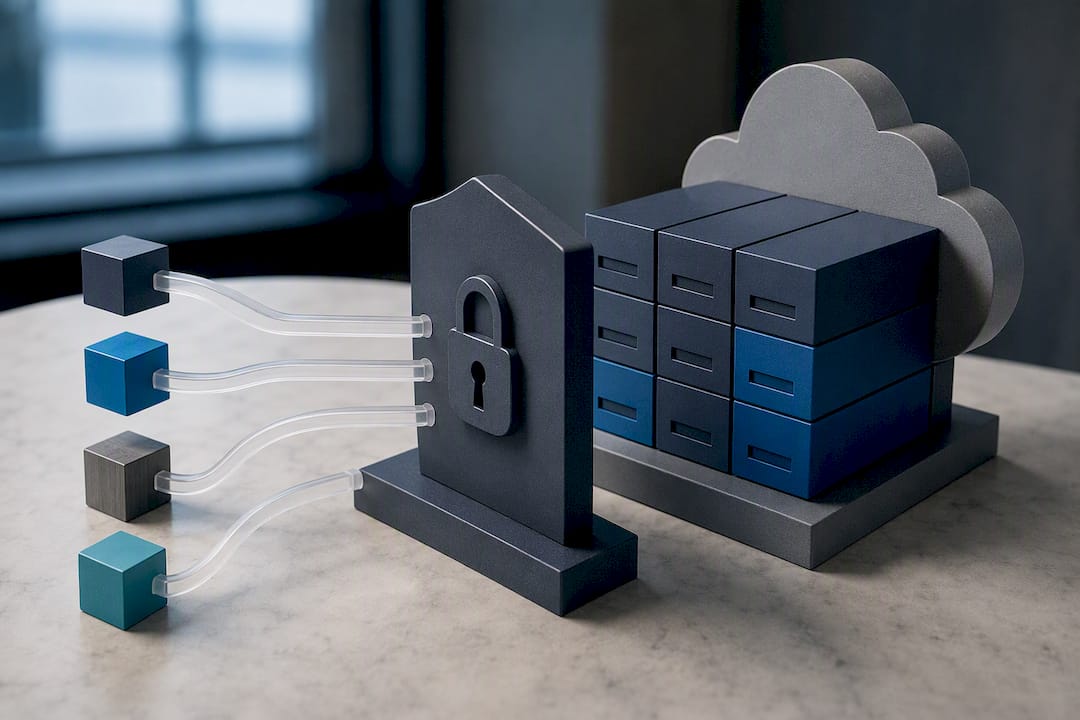
Pro Tip: Cloud storage defaults almost never meet compliance retention out of the box. Check your bucket or container's lifecycle policy explicitly. Don't assume "we store logs in the cloud" means "our logs are retained correctly."
How Do You Keep Retained Logs Auditable and Legally Defensible?
A retention schedule means little if nobody can prove it's enforced or if deletion halts properly when litigation hits.
- Restrict write and delete access to retained logs through role-based permissions, separate from the accounts that generate normal traffic.
- Log the retention system itself. Every change to a schedule, every manual deletion, and every access to archived logs needs its own audit trail.
- Validate integrity periodically with hash checks against archived logs to confirm nothing was altered after the fact.
- Implement legal holds by freezing automated deletion for the specific log sources and date range named in the hold, documented with who issued it and under what authority.
- Route exceptions through an approval workflow. A one-off request to shorten or extend retention for a specific system should require sign-off and a recorded rationale, never a quiet config change.
How Do You Cut Storage Costs Without Losing Forensic Value?
Two metrics make retention cost decisions concrete instead of anecdotal. Useful Log Ratio measures what percentage of stored logs actually get queried during real investigations or troubleshooting over a given period. Cost per Useful Log divides your storage spend by that useful volume, exposing what you're really paying for logs nobody ever touches.
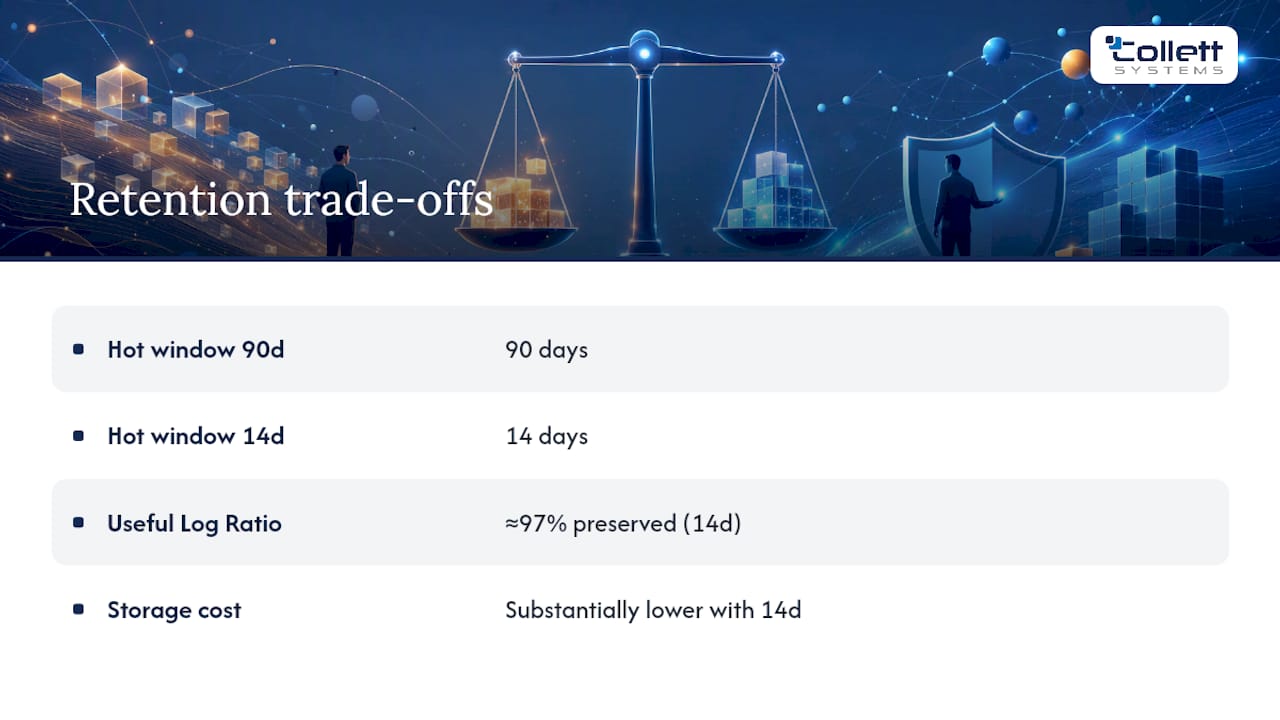
Research on retention window trade-offs found that shrinking the hot, searchable window from 90 days to 14 days preserved about 97% of operationally useful queries while cutting storage costs substantially, because most operational lookups happen within the first two weeks.
Blind sampling, keeping a random slice of logs to save space, is a poor substitute. It might discard exactly the record an investigator needs. Selective indexing paired with a shorter hot window plus full archival is the safer play: everything gets kept somewhere, but only the recent, high-value data stays expensive to query.
Copy-Paste Policy Template and Retention Schedule
Every defensible log management policy needs, at minimum: a scope section, named owners, the retention schedule itself, storage locations per tier, integrity controls, a legal hold procedure, and a review cadence with dated sign-off.
A starter retention schedule to adapt:
| Log Category | Searchable | Archival | Owner | Controlling Requirement |
|---|---|---|---|---|
| Security/audit logs | 3 months | 12 months | Security lead | PCI DSS / internal policy |
| Access/authentication | 3 months | 6 years | IT operations | HIPAA documentation rule |
| Application logs | 90 days | 12 months | App owner | Internal ops policy |
| Network device logs | 3 months | 12 months | Network admin | PCI DSS |
- Document a deletion certificate each time scheduled expiry actually runs, recording date, log range, and who confirmed it.
- Keep both parsed centralized logs and, where evidentiary value matters, the original raw log copies for chain-of-custody purposes.
- File change-log entries every time a retention number is modified, with the business or regulatory reason attached.
Implementation Checklist: From Policy to Enforced Reality
- Inventory and classify every log source by category, sensitivity, and applicable regulation.
- Configure retention settings directly in the logging pipeline rather than relying on manual cleanup scripts.
- Enable immutability controls on any tier holding evidentiary or regulated data.
- Test both retrieval and deletion workflows on a schedule, not just at initial setup, to confirm the archived data actually comes back when requested.
- Run a compliance-gap analysis against every framework that applies to your organization, and fix the shortest-window log category first.
- Document configuration evidence (screenshots, exported settings, approval records) so an auditor doesn't have to take your word for it.
- Train the staff who'll actually execute legal holds and exceptions, since a policy nobody understands gets bypassed under deadline pressure.
The Gap Between a Written Policy and an Enforced One
Most organizations we've assessed already have some version of a retention policy sitting in a shared drive. Almost none of them have tested whether their archived logs actually come back intact when someone requests a nine-month-old firewall record. That gap, between "documented" and "enforced," is where audits get failed.
Smaller organizations without a dedicated security team tend to underinvest in the boring parts: the change log, the deletion certificates, the periodic integrity check. Those aren't optional extras. They're what separates a policy from a PDF. Some managed IT providers build retention documentation and 24/7 monitoring into fixed, per-user managed IT contracts to address this challenge. When a business doesn't have the internal headcount to own retention enforcement full-time, a managed service that treats compliance documentation as a standard deliverable, not a billable add-on, tends to close that gap faster than a one-time consulting engagement ever will.
, Dustin Collett
Get Your Retention Policy Built and Enforced, Not Just Written
Certain managed IT providers treat compliance documentation and retention enforcement as standard parts of their managed IT contracts rather than as optional add-ons. With fixed per-user pricing across a fully-loaded IT service stack, clients may receive 24/7 monitoring, proactive support, and audit trails bundled in from the start, rather than separate documentation charges.
If your current policy exists mostly in someone's head, or your last audit turned up a gap between what's written and what's actually configured, that's exactly what a structured assessment is built to find. Here's where to start:
- Book the IT & Security Assessment to get a documented picture of your current retention posture against PCI, HIPAA, or SOC 2 requirements.
- Request a gap analysis through the cybersecurity risk assessment service if you already have a policy and need to verify enforcement.
- Ask about ongoing managed IT services if you need monitoring, storage tiering, and documentation handled continuously rather than audited once a year.
Sources
- NIST SP 800-92 rev.1 (Interim draft)
- CISA Logging Reference Architecture (LRA)
- Log retention window selection, cost vs operational usefulness (arXiv)
- Security Log Retention 2026: PCI DSS HIPAA SOC2 Requirements (DecryptionDigest)
FAQ
What Is a Retention Policy for Logs?
A log retention policy is a documented rule set specifying how long each category of system log data is kept, where it's stored, who can access it, and how it's securely disposed of once the retention period ends. It typically separates a short searchable window from a longer archival window, per the lifecycle approach NIST recommends.
How Long Should Logs Be Retained?
There's no single universal number. It depends on the log type and which regulation applies: PCI DSS requires 12 months with three months immediately searchable, while HIPAA-driven practice commonly pushes access log retention to six years. When multiple frameworks apply, use the most restrictive requirement for that log category.
What Is the 7-Year Retention Policy?
A seven-year retention period is not a universal legal standard for logs. It typically appears in specific financial or tax-related recordkeeping contexts, and organizations sometimes apply it to backup and business records rather than to security logs, which more commonly follow the six-year HIPAA-driven window or a 12-month PCI DSS baseline.
How Long Should Windows Event Logs Be Retained?
Windows event log retention should follow the same tiered logic as other security logs: a searchable window of roughly three months for active investigation, with archival retention extended to meet whichever compliance framework governs your industry, often 12 months to several years. Default local Windows event log sizes are far too small for compliance purposes and need to be routed to a centralized system with explicit retention settings.
Does a Managed IT Provider Handle Log Retention for Me?
Yes, when it's built into the service rather than sold separately. Collett Systems LLC includes 24/7 monitoring and compliance documentation as standard components of its managed IT services, which covers ongoing retention enforcement rather than a one-time policy document that never gets checked again.