An IT asset inventory is a continuously maintained record of every hardware device, software title, cloud instance, and digital identity your organization depends on. Build one correctly and it becomes your fastest path to better security, tighter cost control, and audit readiness. Skip it, and you're managing infrastructure you can't fully see, which in 2026 means SaaS sprawl and unmanaged AI tools working against you daily.
TL;DR:
- Most organizations lack a complete inventory of SaaS subscriptions, cloud instances, and digital identities, increasing security and compliance risks.
- An effective inventory requires consistent fields like asset ID, owner, location, status, and verification date, with regular updates to maintain accuracy.
- Active discovery through multiple signals and integration with HR, procurement, and IT systems are essential for a real-time, reconciled asset record.
- Shadow IT and orphaned licenses often go unnoticed without layered discovery and regular exception reconciliation, risking security and cost inefficiencies.
- Starting with a targeted 90-day verification cycle and clear ownership helps SMB IT teams improve accuracy and control over their digital environment.
Table of Contents
- What an IT Asset Inventory Actually Covers
- Why IT Asset Inventory Matters for Security, Cost, and Speed
- The Data Fields Every Inventory Record Needs
- Five Steps to Build an Accurate Inventory
- Automation and Integrations That Keep Records Current
- Common Pitfalls That Quietly Wreck Inventory Accuracy
- How Managed IT Providers Operationalize This in Practice
- Where IT Leaders Should Start This Quarter
- Get a Clear Picture of Your Own Environment
- Sources
- FAQ
What an IT Asset Inventory Actually Covers
An IT asset inventory is the data layer. IT asset management (ITAM) is the set of processes, policies, and decisions built on top of that data. You can't optimize licenses, plan refresh cycles, or respond to an incident with confidence if the underlying inventory is incomplete or stale. The inventory answers "what do we have and who owns it." ITAM answers "what should we do about it."
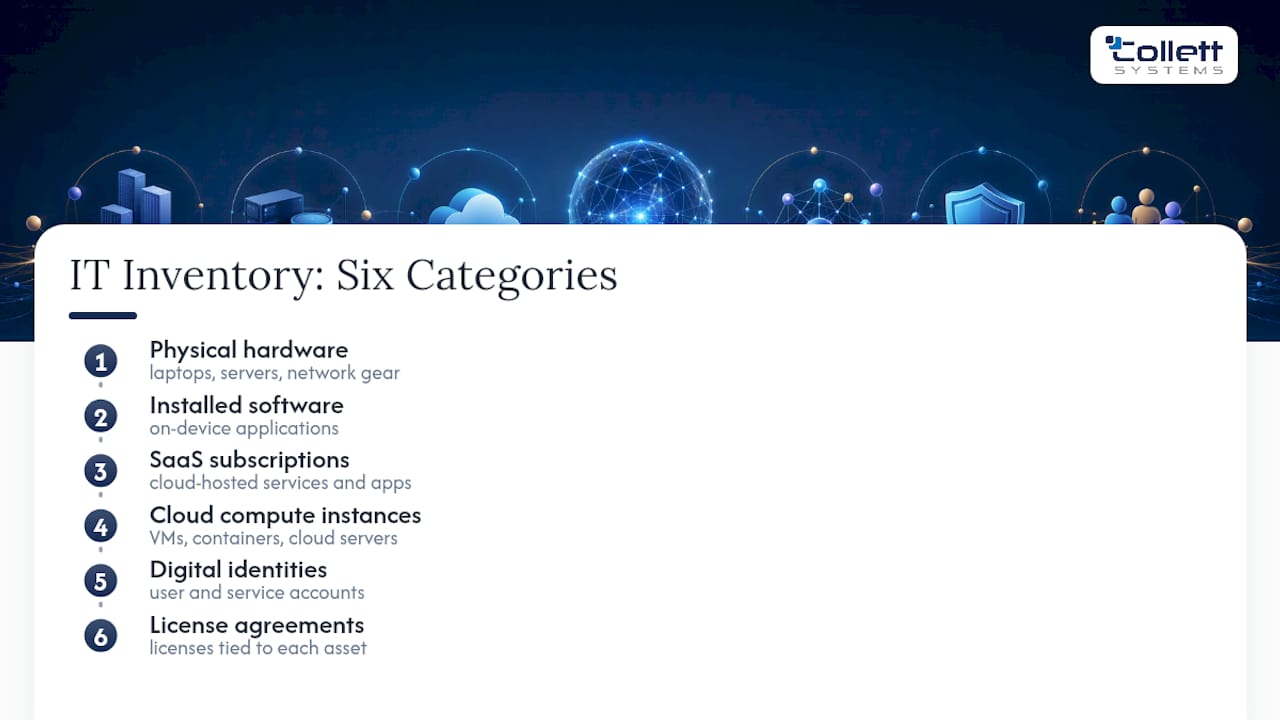
A complete inventory spans six categories: physical hardware (laptops, servers, network gear), installed software, SaaS subscriptions, cloud compute instances, digital identities (user and service accounts), and license agreements tied to each asset. Many teams still stop at the first two categories, treating a spreadsheet of laptops as "the inventory." That approach misses where the risk actually concentrates today.
Identities, SaaS subscriptions, and cloud instances deserve equal billing with physical hardware, and for good reason. A compromised service account or an abandoned cloud server left running after a project ends is often more dangerous than a lost laptop, because nobody's watching it. Atlassian's guidance on inventory management points out that starting with a detailed inventory unlocks downstream ITAM benefits: fewer duplicate purchases, faster provisioning, and license reuse instead of repurchase. None of that works if half your SaaS footprint never made it into the record.
Why IT Asset Inventory Matters for Security, Cost, and Speed
The security case starts with the Center for Internet Security's Critical Security Controls, where inventory of enterprise assets sits at Control 1 for a reason: you cannot protect, patch, or monitor what you don't know exists. Vulnerability scanning and endpoint protection only cover assets that show up in your records. Everything outside that boundary is a blind spot attacker actively look for.
Visibility is getting harder to maintain, not easier. Complete IT visibility across organizations dropped to just 36% in 2026, down from 43% the prior year, and 84% of organizations now name tracking or governing AI software as a top ITAM challenge. That's a direct consequence of how fast teams are adopting AI tools without routing them through procurement or IT review first.
The cost case is just as concrete. Software vendor audits are expensive when your inventory doesn't match your licensing agreements, and Flexera's research notes that audit remediation costs can run into seven figures over a multi-year period for organizations with poor visibility into deployed versus licensed software. An accurate inventory is your primary defense: it lets you reconcile what you're paying for against what's actually installed, reclaim unused seats, and walk into a vendor audit with evidence instead of guesswork.
Operationally, a current inventory shortens incident response time because your team already knows what's affected and who owns it. It sharpens procurement decisions, since nobody's buying a license the company already has sitting idle. And it supports lifecycle planning, from warranty tracking to knowing which servers are due for replacement before they fail. A well-run network segmentation strategy also depends on knowing exactly what's on the network to begin with.
The Data Fields Every Inventory Record Needs
An inventory is only as useful as its schema. A messy collection of half-filled spreadsheet columns isn't an inventory; it's a liability waiting to surface during an audit. Every asset record, whether it lives in a dedicated ITAM platform or a well-structured database, needs a consistent set of core fields.
Start with these non-negotiables:
- Asset ID: a unique identifier that never gets reused, even after an asset is retired.
- Serial number: manufacturer-issued, tied to warranty and support entitlements.
- Asset class: hardware, software, SaaS, cloud instance, or identity.
- Owner/custodian: the department or role accountable for the asset's lifecycle decisions.
- Assigned user: the individual currently using it, which changes far more often than ownership does.
- Location: physical site, or for cloud assets, the region and account it lives in.
- Lifecycle status: active, in storage, in repair, or retired.
- Purchase and contract dates: when it was acquired and when renewal or support expires.
- Most recent verification date: the last time a human or automated process confirmed the record is still accurate.
Beyond that core set, enrichment fields add real value: operating system and patch level, security posture (encrypted, EDR-enrolled, compliant), warranty status, linked license agreements, contract documentation, and total cost of ownership metrics that roll purchase price, support fees, and renewal costs into one number.
The verification date and named owner fields matter more than they look. Without a verification timestamp, you have no way to know whether a record reflects reality or is six months of drift away from useless. Without a named owner, nobody's accountable when the record goes stale, and stale records are how shadow IT accumulates undetected.
Five Steps to Build an Accurate Inventory
Building an inventory that stays accurate is a process, not a one-time project. Here's the sequence that works for small and mid-sized IT teams without a dedicated asset management staff.
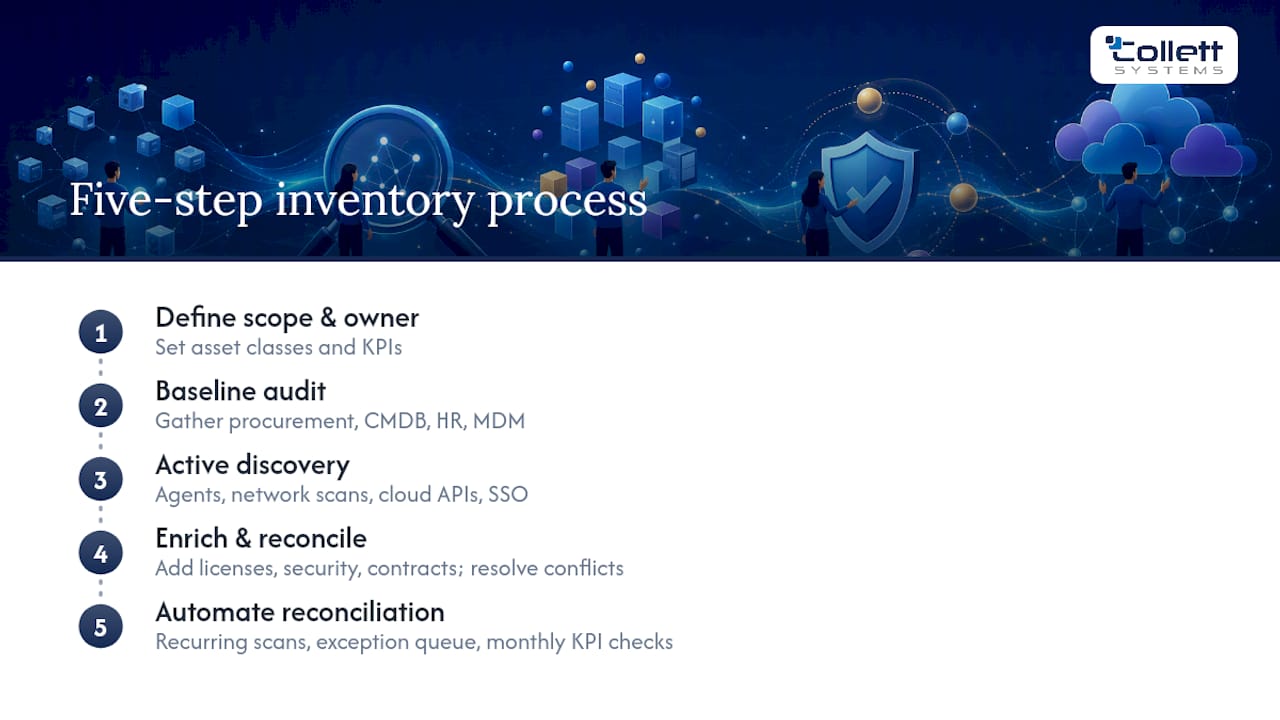
1. Define scope, KPIs, and an accountable owner. Decide which asset classes you're tracking first (most teams start with hardware and expand to SaaS and cloud within the same quarter). Set measurable targets: coverage rate (percentage of known assets in the inventory), freshness (percentage verified in the last 90 days), and completeness (percentage of records with all core fields populated). Assign one person, not a committee, to own the outcome.
2. Run a baseline audit. Pull existing data from procurement records, your CMDB if one exists, HR systems, and mobile device management platforms. This step almost always surfaces contradictions between systems. That's expected, not a failure.
3. Run active discovery and build canonical records. Deploy endpoint agents, run network scans, pull data from cloud provider APIs, and cross-reference single sign-on logs to catch SaaS tools that never went through procurement. Merge everything into one canonical record per asset rather than leaving four partial records scattered across systems.
4. Enrich and reconcile. Add license details, security posture, and contract data to each record. Where discovery data conflicts with what procurement or HR reported, investigate and resolve the mismatch rather than picking one source arbitrarily.
5. Automate reconciliation and set a verification cadence. Build a recurring process that compares new discovery scans against existing records, routes discrepancies into an exception queue, and requires sign-off before closing them. Measure your KPIs monthly and report the trend, not just the snapshot.
Pro Tip: Treat unresolved exceptions as their own backlog with a service level target, the same way you'd treat open support tickets. An exception queue that nobody's assigned to clear will grow until the inventory is unreliable again, no matter how good your discovery tools are.
Automation and Integrations That Keep Records Current
A one-time inventory project is worthless within six months. The organizations that maintain accuracy build a layered discovery architecture rather than relying on manual updates or fragile point-to-point spreadsheet imports.
Discovery should draw from multiple independent signals:
- Endpoint agents installed on managed devices, reporting hardware and software state continuously.
- Network scans that catch devices agents miss, including printers, IoT hardware, and unmanaged endpoints.
- Cloud provider APIs pulling live instance, storage, and service inventories directly from AWS, Azure, or Google Cloud.
- Identity and single sign-on logs, which reveal SaaS tools employees are actually using, often tools IT never approved.
None of that data stays useful without integration into the systems that generate lifecycle events. HR systems trigger onboarding and offboarding, which should automatically flag new asset assignments and reclaim equipment when someone leaves. ITSM and CMDB platforms carry ticket history and configuration context. Procurement or ERP systems hold contract and renewal dates. Mobile device management tools cover phones and tablets that never touch the corporate network directly.
AssetCues' inventory tracking guide describes this as a control-tower model: one layer connects scans, HR events, finance records, and physical verification into a single reconciliation point rather than treating each system as its own source of truth. That architecture matters more than any single tool choice. With 84% of organizations now citing AI software tracking as a top challenge, the discovery layer that worked fine in 2022 usually isn't built to catch what's running today.
Common Pitfalls That Quietly Wreck Inventory Accuracy
Most broken inventories fail for the same architectural reason: source systems each capture a slice of the truth, but nothing reconciles them against each other. Procurement knows what was purchased. HR knows who's employed. The network scanner knows what's connected right now. Without a dedicated reconciliation layer comparing all three, gaps open up and nobody notices until an audit or an incident forces the question.
Shadow IT is the most common symptom. Finance departments approve SaaS subscriptions on expense reports that never touch IT procurement. Employees connect personal cloud storage or AI tools to company data because the sanctioned alternative is slower. Detecting this requires looking beyond network scans: expense report reviews, SaaS usage logs, single sign-on activity, and cloud billing anomalies all surface subscriptions that traditional discovery misses. Before rolling out any new AI tool company-wide, it's worth reviewing who already has access to what, since permission sprawl and shadow IT tend to travel together.
When you find a backlog of unreconciled or unknown assets, triage by risk rather than trying to fix everything at once. Prioritize assets that are internet-facing and exploitable, expensive enough to matter for cost control, or critical to keeping the business running if they fail.
How Managed IT Providers Operationalize This in Practice
A disciplined approach includes one accountable owner per client environment, a standardized monitored stack instead of a patchwork of tools, and a fixed verification cadence rather than an annual scramble. If you're starting from scratch, the checklist is short: name an owner today, run a discovery sweep this week, connect HR events, and set a 90-day verification cycle.
Where IT Leaders Should Start This Quarter
Assign one owner, run a discovery sweep across endpoints and cloud accounts, and connect HR events before you buy any new tooling. Track coverage rate, exception queue closure, and reclaimed licenses as your first 90-day metrics. Most teams overbuild the schema and underbuild the accountability. Fix the second problem first.
Get a Clear Picture of Your Own Environment
Reading about inventory best practices is one thing. Finding out where your own environment actually stands is another, and most SMB IT teams don't have the bandwidth to run a full discovery sweep on top of daily support work. Collett Systems LLC built its IT & Security Assessment specifically for that gap: a structured review that maps your hardware, software, cloud accounts, and identities against the exact fields covered in this guide.
The assessment identifies coverage gaps, flags shadow IT and orphaned licenses, and hands you a prioritized remediation plan ranked by risk and cost impact, not a generic checklist. For organizations that decide ongoing management makes more sense than a one-time cleanup, that same discovery data rolls directly into managed IT services with fixed per-user pricing and 24/7 monitoring built in from day one. If you'd rather keep inventory ownership in-house and bring in support around the edges, the co-managed IT services model does that instead. Either way, the first step is the same: book the assessment and see exactly what's in your environment before you decide what to do about it.
Sources
- Flexera: State of ITAM 2026
- Atlassian: IT asset management - inventory management
- AssetCues: IT Inventory Management & Tracking guide (2026)
FAQ
What Is an IT Asset Inventory?
It's a continuously updated record of every hardware device, software title, SaaS subscription, cloud instance, and digital identity an organization uses, including who owns each one and its current lifecycle status.
What Needs to Be Included in an IT Asset Inventory?
At minimum, it needs hardware, installed software, SaaS subscriptions, cloud instances, digital identities, and license agreements, each tagged with an owner, location, lifecycle status, and verification date.
How Do You Manage an IT Asset Inventory?
Assign one accountable owner, run active discovery through endpoint agents and cloud APIs, integrate HR and procurement systems for lifecycle events, and set a recurring verification cadence with an exception queue for mismatches.
What Are Some Examples of IT Assets?
Common examples include laptops, servers, network switches, installed applications, SaaS subscriptions like project management or communication tools, cloud compute instances, and user or service account identities.
How Often Should an IT Asset Inventory Be Verified?
Most SMB environments benefit from a 90-day verification cycle, though high-risk or internet-facing assets often warrant more frequent checks as part of an ongoing reconciliation process.