Hand your managed IT provider six things before day one: an asset and software inventory, a network diagram, vaulted administrative credentials, runbooks for critical systems, backup configuration with a verified test restore, and vendor/ISP contact records. Every one of these should transfer within a 30 to 90 day onboarding window, and you keep ownership of all of it. Don't take a green backup dashboard on faith. Demand proof: a timed, documented restore.
TL;DR:
- A comprehensive asset and software inventory must include serial numbers, license details, and reconciliation against invoices during onboarding.
- Network diagrams should detail circuits, VLANs, and IP ranges, especially for multiple sites, to ensure complete infrastructure understanding.
- Backup tests, including timed restores of at least one backup, are essential to verify data recoverability instead of relying solely on dashboard indicators.
- Documentation ownership must remain with the business, with providers holding delegated support access, and credentials should be stored securely in a role-based vault.
- Regular reviews should track baseline metrics, remediation status, and access controls, ensuring all documentation and security practices stay current and verifiable.
Table of Contents
- What Belongs on an IT Documentation Checklist?
- At-a-Glance 30/60/90 Checklist You Can Hand to Your MSP
- Detailed Documentation Checklist: Fields, Acceptance Criteria, and Examples
- How to Organize and Control Access to Documentation
- Testing Backups and Disaster Recovery
- Handover and Governance: Ownership, SLAs, and Remediation Tracking
- Sustainable Maintenance: Keeping Documentation Current
- Change Management Procedures and Documentation
- IT Policy Documentation: Access Control and Data Handling
- Disaster Recovery and Business Continuity Plans
- Inventory of Service Accounts and Their Permissions
- Documentation of Software License Compliance Status
- Collett Systems' Practical View on Documentation
- Next Step: Get Your Documentation Reviewed Before You Sign Anything
- Templates and Deeper Reads for Building Your Checklist
- Sources
- FAQ
What Belongs on an IT Documentation Checklist?
Most business owners think of documentation as paperwork. It's closer to a set of keys. Without it, an incoming managed services provider is troubleshooting your network blind, and if that provider ever leaves, you're locked out of your own systems.
The standard industry term for this work is IT infrastructure and operations documentation, sometimes shortened to systems documentation. It covers everything an MSP needs to support your environment safely: what you own, how it's wired together, who can log into what, and how to recover when something breaks. A structured MSP documentation checklist typically names seven categories as the baseline: network diagrams, device and server inventories, credential entries, vendor contacts, backup configurations, runbooks, and standard operating procedures.
Treat this list as the floor, not the ceiling. A provider that can't produce all seven within the first month of a contract is a provider still learning your business at your expense.
At-a-Glance 30/60/90 Checklist You Can Hand to Your MSP
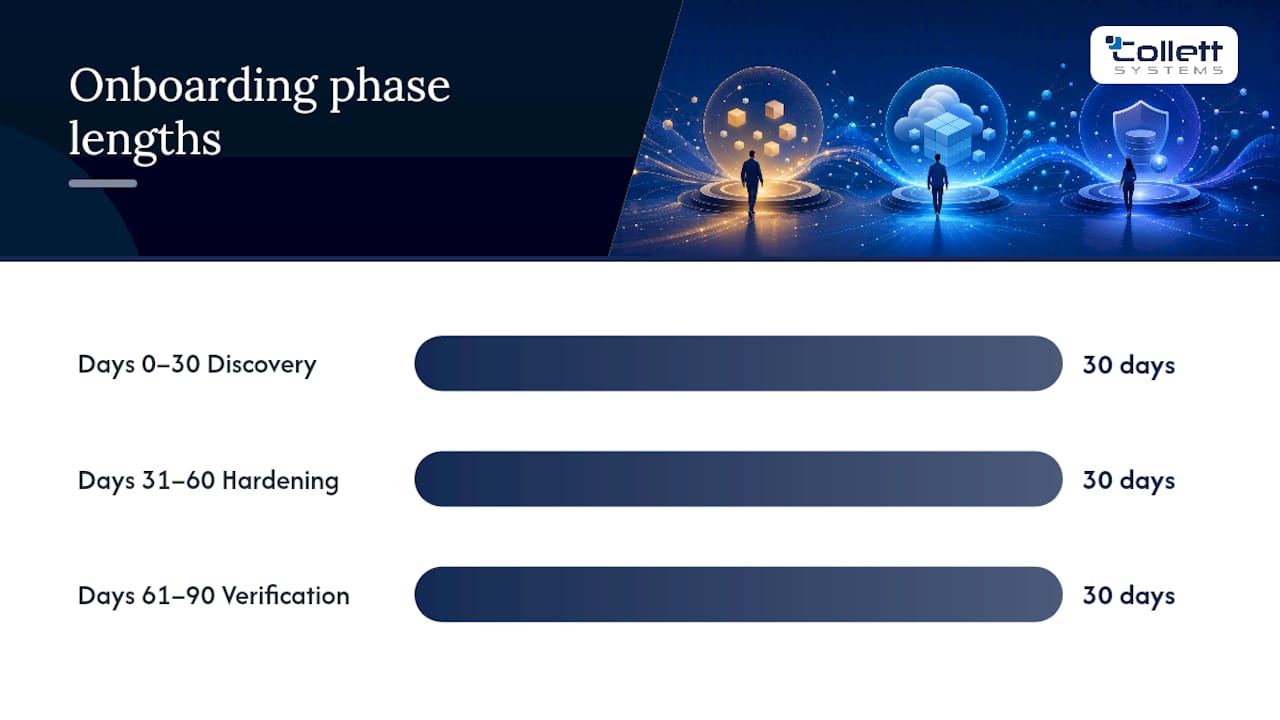
A structured 30/60/90 onboarding plan forces discovery, documentation, security baselining, and backup testing into a schedule instead of letting them drift. Print this and attach it to your kickoff email.
Days 0 to 30, discovery and baseline:
- Full hardware and software inventory delivered, cross-checked against purchase and license records
- Network diagram covering circuits, VLANs, and IP ranges
- Administrative credentials transferred into a shared vault, verified by test login
- Initial monitoring agents deployed with a baseline uptime and patch report
Days 31 to 60, hardening and documentation:
- Runbooks written for your three or four most critical systems (email, line-of-business app, backup, remote access)
- Test restore of at least one backup job performed and timed
- Vendor and ISP contact list finalized with contract renewal dates
Days 61 to 90, verification and governance:
- First quarterly business review scheduled with a scorecard
- Remediation items from earlier phases closed or scheduled with owners and dates
Request five baseline metrics at that first review: open ticket count, average response time, average resolution time, patch compliance percentage, and monitoring agent coverage. Those numbers become your report card for every quarter after.
Detailed Documentation Checklist: Fields, Acceptance Criteria, and Examples
A checklist item isn't "done" until you know what "complete" actually means. Here's what acceptance looks like for each record type.
Asset and software inventory. Every device needs a make, model, serial number, purchase date, warranty expiration, and assigned user or location. Software entries need version, license type, license count, renewal date, and the vendor account it's tied to. Reconcile the inventory against your actual license invoices once, at handover, so you catch orphaned subscriptions immediately.
Network diagram. A conceptual diagram showing routers, switches, firewalls, and how sites connect is the minimum. For anything beyond a single office, you need IP ranges, VLAN assignments, and firewall access control lists documented separately, since cramming ACL detail onto a visual diagram makes it unreadable within a year.
Credential inventory. Every administrative account needs an owner, a system it controls, a rotation date, and a break-glass procedure for emergency access outside normal channels. Every access event should generate an audit trail you can review later.
Runbooks. A usable runbook for a critical restore includes the trigger condition, exact commands or click paths, who to call if step three fails, and expected completion time. A one-page runbook a new technician can follow at 2 a.m. beats a wiki page written for someone who already knows the system.
Vendor and ISP records. Circuit ID, account number, support phone line, contract end date, and the internal owner who approves renewals.
How to Organize and Control Access to Documentation
Pick one source of truth. That usually means a PSA or CMDB platform holding the live records, exported periodically into a plain, readable format like PDF or spreadsheet so you're never locked into a single vendor's tool to read your own data.
Naming conventions matter more than people expect. Every document needs a title that states what it is, an owner, and a last-updated date visible on the first page, not buried in file metadata nobody checks.
For credentials specifically, follow a short set of rules:
- Store every administrative password in a dedicated vault, never a spreadsheet or shared inbox
- Require multifactor authentication on the vault itself
- Grant access by role, not by person, so departures don't leave orphaned permissions
- Log every access event automatically
- Set a hard removal timeline (measured in days, not "eventually") for any outgoing provider's access
Pro Tip: Ask your provider how long it takes a technician to find a firewall password during a live outage. If the honest answer is more than 60 seconds, your documentation isn't organized. It's stored.
Testing Backups and Disaster Recovery
A backup you've never restored is a theory, not a safeguard. Recorded test restores during onboarding are the single most persuasive evidence that your data protection actually works, more convincing than any dashboard full of green checkmarks.
Run these tests on a defined schedule:
- File restore during onboarding week one, and monthly afterward
- Mailbox restore quarterly, or immediately after any email platform migration
- Application or database restore quarterly, tied to your patch or maintenance windows
- Full failover or tabletop exercise at least annually, more often if you're in a regulated industry
For each test, record whether it succeeded, how long it took, and whether the restored data passed an integrity check. A failed test needs a remediation date attached, not a quiet retry next month. This is where the 3-2-1 backup rule earns its reputation: three copies of your data, on two different media types, with one copy off-site. It's a sound structure, but structure alone doesn't prove recoverability. Only a timed restore does.
Handover and Governance: Ownership, SLAs, and Remediation Tracking
You own your Microsoft 365 or Google Workspace tenant, your domain registration, and your core accounts. A provider should hold delegated administrative access to support you, documented in writing, never own the tenancy outright. Verifying tenant ownership in week one prevents a painful exit later if you ever switch providers.

Credential handoff isn't complete until someone actually logs in with the transferred credentials and confirms access works. A vault transfer without a verification login is just a promise.
At each quarterly business review, expect:
- The five baseline metrics from onboarding, tracked over time, not just reported once
- A written list of open remediation items, each with an owner and a target date
- Confirmation that no undocumented administrative access exists outside the vault
Don't sign off on onboarding completion until every remediation item has a name and a date attached. "We'll get to it" is not a project plan.
Sustainable Maintenance: Keeping Documentation Current
Documentation decays the moment nobody's watching it. The fix is structural, not aspirational: build the update into work that's already happening.
Every change ticket for a firewall rule, a new server, or a software deployment should require a documentation update as a closing step, not an optional afterthought. Tie a formal reconciliation to your existing patch windows or quarterly reviews, so it rides along with work you're doing anyway instead of competing for separate attention.
- Require a documentation field on every change ticket before it can close
- Run a quarterly reconciliation against automated discovery scans to catch drift
- Version every major document so you can see what changed and when
Pro Tip: Once a quarter, pick one credential and time how fast a technician who's never seen your environment can find it and log in. Fifteen minutes of testing exposes documentation gaps faster than a full audit.
Change Management Procedures and Documentation
Every meaningful change to your environment, a firewall rule update, a new server, a software deployment, needs a paper trail before it happens, not after. A change management policy should define what qualifies as a change, who approves it, and what gets documented before the work starts.
At minimum, a change record needs the reason for the change, the systems affected, a rollback plan, the approver's name, and the date implemented. Emergency changes made outside a maintenance window still need retroactive documentation within 24 hours, not "whenever someone remembers."
The real value shows up during an incident. When something breaks two weeks after a change, a documented change log lets a technician spot the likely cause in minutes instead of hours of guessing. Businesses without change records tend to relearn this lesson the expensive way, usually during an outage at the worst possible time.
IT Policy Documentation: Access Control and Data Handling
Access control policy answers a simple question in writing: who can touch what, and why. That means role-based permission structures, a documented process for granting and revoking access, and a review cycle, ideally quarterly, to catch accounts that should have been disabled months ago.
Data handling policy covers where sensitive information lives, how it's classified, and how it moves. A data classification framework that separates public, internal, and restricted data gives your team a consistent standard instead of case-by-case judgment calls that vary by who's asking.
For regulated industries, financial services and manufacturers working with government contracts in particular, this documentation isn't optional paperwork. It's frequently the evidence an auditor or examiner asks for first, and gaps here tend to surface at the worst possible moment: during an actual audit rather than a practice run.
Disaster Recovery and Business Continuity Plans
A disaster recovery plan and a business continuity plan solve different problems, and conflating them is a common mistake. Disaster recovery is about restoring IT systems. Business continuity is about keeping the business functioning while that recovery happens, including manual workarounds, communication plans, and which functions absolutely cannot pause.
Your DR plan needs recovery time objectives and recovery point objectives stated in actual hours, not vague aspirations, for each critical system. It needs a named decision maker authorized to declare a disaster and trigger the plan, because ambiguity about who's in charge during an outage costs time you don't have.
Business continuity documentation should identify your single points of failure: the one vendor, one employee, or one system that would stop operations if it went down. Test the plan at least annually with a tabletop exercise, walking through a realistic scenario on paper before you're forced to run it for real.
Inventory of Service Accounts and Their Permissions
Service accounts, the non-human logins that let applications talk to each other, are one of the most overlooked corners of IT documentation. Unlike a person's account, nobody notices when a service account outlives its purpose, because nobody's actively logging in and complaining.
Every service account needs an inventory entry listing its purpose, the system it authenticates to, its permission level, an owner responsible for it, and a password rotation schedule. Flag any service account running with administrative-level access when it only needs read access to one folder. That gap is a common finding in security assessments, and it's an easy one to fix once it's actually documented.
Review this inventory alongside your credential vault, since service accounts often get created during a project and then forgotten once that project ends, quietly accumulating access nobody's tracking anymore.
Documentation of Software License Compliance Status
License compliance documentation answers a question that catches businesses off guard more often than it should: are you actually licensed for everything you're running? Reconcile your software inventory against purchase records, subscription counts, and per-seat agreements at least twice a year.
Document license type (perpetual, subscription, per-user, per-device), renewal date, seat count purchased versus seat count actually in use, and the internal owner responsible for renewal decisions. Over-licensed software wastes budget every month. Under-licensed software creates real compliance exposure, particularly for manufacturers and financial firms subject to vendor or regulatory audits.
This reconciliation also catches shadow IT, software purchased by an individual department outside normal procurement that nobody in IT knows exists. A shadow IT discovery process run alongside your license audit tends to surface these gaps before a vendor audit does it for you.
Collett Systems' Practical View on Documentation
Complete documentation isn't paperwork for its own sake. It's the difference between a technician solving your outage in fifteen minutes and one spending an hour just figuring out what they're looking at. We built our managed IT model around fixed, full-stack coverage precisely so nothing gets skipped or upsold later, and documentation is the backbone that makes 24/7 monitoring across more than 150 local organizations actually mean something. Verified backups and current runbooks turn "we think we're covered" into something you can prove during an audit or an actual outage.
Next Step: Get Your Documentation Reviewed Before You Sign Anything
An alternative to handing your environment to a provider and hoping the paperwork catches up later is to request an IT & Security Assessment that reviews your asset inventory, tests a backup restore, audits credential access, and provides a written remediation roadmap before you are locked into a contract with gaps you can't see.
If you're mid-search for a new provider, ask for that roadmap in the exact 30/60/90 format outlined above. It's the fastest way to know whether an MSP will actually document your environment or just quietly inherit it. West Bend and Southeastern Wisconsin businesses can start with our managed IT services page, or if you'd rather keep part of this work in-house, our co-managed IT services option is built for exactly that split. Either way, request the assessment and get a documented answer instead of a guess.
Templates and Deeper Reads for Building Your Checklist
A handful of resources are worth bookmarking as you build your own package:
- The MSP documentation checklist from MSP Workflows covers the seven core categories in field-level detail, useful for the discovery phase.
- The 90-day onboarding framework maps documentation milestones against a realistic timeline.
- Collett Systems' backup best practices guide and disaster recovery testing guide both support the backup verification section above.
- For incident response specifically, this data breach response plan guide offers a usable template for the runbook and compliance sections.
Favor any template that exports cleanly to PDF or spreadsheet. If it only lives inside one vendor's proprietary tool, it isn't a handover package. It's a hostage situation waiting to happen.
Sources
- MSP Onboarding Checklist: Your First 90 Days (2026)
- IT Provider Onboarding Checklist: Proven Safe 30-Day Plan
- MSP Documentation Checklist | MSP Workflows
- MSP Client Onboarding Checklist: The First 90 Days - Rewired MSP
FAQ
What Documents Should I Have Ready Before MSP Onboarding?
At minimum: an asset and software inventory, a network diagram, vaulted administrative credentials, runbooks for critical systems, verified backup configurations, and vendor/ISP contact records.
How Long Should MSP Onboarding Documentation Take?
Most structured onboarding plans complete discovery and documentation within 30 days, with hardening and testing finished by day 60, and governance review by day 90.
Who Should Own IT Documentation, the Business or the Provider?
The business should retain ownership of tenancy, domains, and core accounts, while the provider holds documented delegated access, never the reverse.
How Do I Know if My Backups Actually Work?
Only a timed, recorded test restore proves recoverability. A "successful backup" status on a dashboard confirms the job ran, not that the data can be restored.
What Should I Ask for at My First Quarterly Business Review?
Request five baseline metrics: open ticket volume, average response time, average resolution time, patch compliance percentage, and monitoring coverage, along with a written remediation list with owners and dates.